
Site Speed Optimization: A Local Business Guide

A 0.1-second improvement in load time can increase conversion rates, while e-commerce pages loading in 1 second convert at 3.05% compared with 0.67% at 4 seconds. For a local service business, that difference can determine whether a prospective customer reaches your phone number and contact form or returns to Google and calls a competitor.
Silva Marketing helps service businesses in Prescott, Prescott Valley, Chino Valley, Dewey-Humboldt, and throughout Northern Arizona turn slow, underperforming websites into faster, clearer lead-generation assets. The problem isn't just a low PageSpeed score. It's lost calls, abandoned forms, weaker user experience, and less value from the traffic you've already earned through SEO or Google Ads.
Site speed optimization works best when you connect technical improvements to business outcomes. The right process identifies which pages and devices struggle, isolates the failing Core Web Vital, and fixes the bottleneck without damaging design, tracking, or conversion paths.
Table of Contents
Why Site Speed Optimization Is Your Best Local SEO Asset - Why local intent makes delays expensive - The Map Pack connection needs careful handling
How to Audit Your Current Website Performance - Begin with the URLs that generate inquiries - Use PageSpeed Insights to find the cause - Read each metric as a business symptom
Understanding the Core Web Vitals That Matter for Local Search - What does LCP measure - What does INP measure - What does CLS measure
Proven Strategies to Speed Up Your Website - Start with images and video - Control JavaScript, CSS, and plugins - Improve the server path
Avoiding Common Pitfalls in Site Speed Optimization - Why desktop testing isn't enough - Why more optimization tools can make things worse - Treat every deployment as a performance event
Making Site Speed an Ongoing Priority for Your Business - Build a simple monitoring routine - Choose fixes according to business value
Why Site Speed Optimization Is Your Best Local SEO Asset
A slow website wastes high-intent local traffic. Someone searching for a Prescott roofer, HVAC contractor, dentist, attorney, or remodeling company may be ready to call, but a delayed page gives that person time to leave before the service information appears. Google's research on milliseconds found that even a 0.1-second change in load time can influence the user journey and conversion behavior. Google's milliseconds research shows why small performance gains can matter across many visits.
Portent's independent analysis provides a useful e-commerce comparison. Pages loading in 1 second averaged a 3.05% conversion rate, while pages loading in 4 seconds averaged 0.67%, with conversion rates declining by about 0.3% for each additional second of load time. The Google research report contains the referenced findings and frames speed as a commercial issue, not a cosmetic technical exercise.
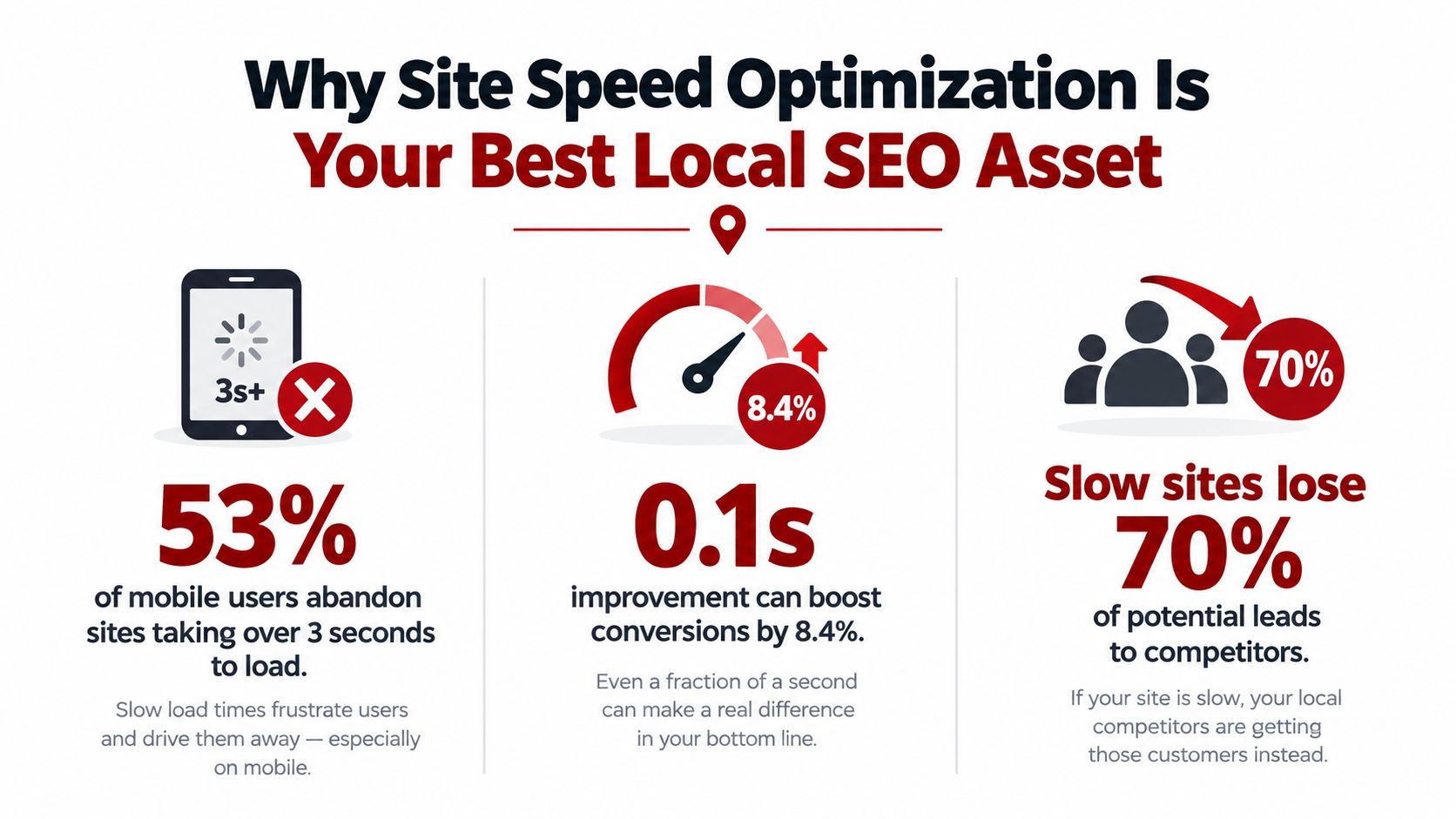
Why local intent makes delays expensive
Local searches often happen when a buyer needs an answer quickly. A visitor may want to confirm that you serve Prescott, review a service, see proof of experience, or tap to call. If the page takes too long to become useful, the visitor doesn't experience your expertise. They experience friction.
Speed also supports broader technical SEO. Google describes Core Web Vitals as user-experience signals covering loading, interactivity, and visual stability, and Search Console tracks them through historical field data. That means performance belongs in the same operating conversation as local landing pages, Google Business Profile support, internal links, and conversion tracking. Businesses that want a deeper connection between technical performance and local visibility can review Silva Marketing's local SEO guidance.
The Map Pack connection needs careful handling
Site speed alone doesn't guarantee Map Pack visibility. Local prominence, relevance, proximity, business information, reviews, content, and overall website quality all matter. Still, a fast, usable website gives searchers a better destination after they click a local result, supports trust, and helps your marketing budget work harder.
For Prescott businesses competing in a compact but active regional market, site speed optimization is one of the most practical technical priorities because it improves the experience for people already looking for your service. Fixing a slow template, oversized hero image, or overloaded form can help more than endlessly adjusting minor metadata fields.
How to Audit Your Current Website Performance
Start with field data, not a score from a single test. Google Search Console's Core Web Vitals report groups URLs as Poor, Need improvement, or Good using measurements from actual users. It evaluates LCP, INP, and CLS, so you can see how real visitors experience important page groups over time.
Begin with the URLs that generate inquiries
Don't audit only the homepage. Review the pages tied to revenue:
Service pages: Check the pages that rank for terms such as emergency plumbing, kitchen remodeling, or family dentistry.
Location pages: Test Prescott, Prescott Valley, Chino Valley, and other service-area pages separately.
Contact paths: Examine the contact page, quote form, click-to-call elements, and booking flow.
Campaign landing pages: Paid traffic needs a fast, focused destination, not a generic page overloaded with scripts.
Search Console groups similar URLs, which helps reveal template-level problems. A slow header, shared plugin, or common form script can affect many pages at once.
Use PageSpeed Insights to find the cause
PageSpeed Insights combines field data where available with lab diagnostics. Use it to inspect the page on mobile and desktop, then read the recommendations rather than treating the performance score as the objective. The score is a directional signal. The diagnostic details tell you whether the problem comes from an oversized image, blocking JavaScript, slow server response, unused CSS, or a third-party request.
Lighthouse provides a controlled testing environment for comparing changes. It won't replace real-user data, because laboratory conditions differ from the network, device, and browser used by an actual customer. Use Lighthouse before and after an edit, then confirm whether Search Console field data improves later.
Read each metric as a business symptom
Google's Search Console guidance recommends LCP within 2.5 seconds, INP under 200 milliseconds, and CLS below 0.1. Google's Core Web Vitals report guidance also explains that a URL group can be judged by its weakest metric once sufficient data exists.
That last point matters. A page may have acceptable loading and responsiveness but still fall into a weaker classification because a banner shifts the layout. Record the failing metric, affected URL group, device category, and likely cause before making changes. This prevents a common waste of time, changing several things at once and losing the ability to identify what helped.
For a broader technical review, use Silva Marketing's technical SEO audit checklist alongside the performance reports. A proper audit connects speed with crawlability, indexing, page templates, forms, analytics, and local search intent.
Understanding the Core Web Vitals That Matter for Local Search
Core Web Vitals translate a vague complaint, “the site feels slow,” into three specific user experiences. Google defines LCP as loading performance, INP as interaction responsiveness, and CLS as visual stability. Google's explanation of Core Web Vitals describes what each metric measures and why the metrics reflect how people perceive a page.
What does LCP measure
Largest Contentful Paint measures how quickly the largest visible element becomes available. On a local service page, that element may be a hero image, headline block, service introduction, or prominent banner.
A weak LCP often means the page's most important message arrives too late. Visitors may see a blank area, a partial layout, or a loading state before they can confirm what you do. For a Prescott contractor, the opening service statement and call button should become useful quickly, while decorative imagery can wait.
Common causes include oversized hero images, slow server response, render-blocking stylesheets, and fonts that delay visible content. Fixing the largest element usually deserves priority over polishing small assets below the fold.
What does INP measure
Interaction to Next Paint measures how quickly the page responds after a visitor interacts with it. This matters when someone opens a navigation menu, taps a call button, selects a form field, or uses an appointment widget.
For service businesses, INP is often the overlooked bottleneck. A page may appear loaded but still feel broken if a heavy JavaScript bundle delays the response to a tap. Third-party chat, scheduling, consent, analytics, and advertising scripts can compete for the browser's attention.
The practical test is simple. Open the page on a real phone, tap the main actions, and observe whether the interface responds immediately. If it doesn't, reducing JavaScript work may help more than further image compression.
What does CLS measure
Cumulative Layout Shift measures how much visible content moves while the page loads. A form that jumps down, a phone button that shifts position, or a banner that pushes the headline can cause accidental taps and frustration.
CLS usually comes from images without reserved dimensions, injected promotional bars, late-loading fonts, and dynamic components. Set space for media before it loads, stabilize headers, and prevent pop-ups from pushing essential content away from the user's current position.
Practical rule: Fix the metric that blocks the next customer action, not the metric that produces the most interesting report.
A 2025 analysis of 208K websites found that only 46.7% of desktop sites and about 40% of mobile sites met all three thresholds. The Core Web Vitals study suggests that many businesses need metric-specific diagnosis rather than generic advice to “make the website faster.” For a typical local service site, LCP often affects first impression, INP can undermine forms and menus, and CLS can damage trust at the exact moment a visitor is trying to act.
For deeper implementation guidance, see Silva Marketing's Core Web Vitals optimization resource.
Proven Strategies to Speed Up Your Website
The fastest improvements usually come from removing unnecessary work. A local business website doesn't need to load every image, plugin, tracking script, animation, and integration before a visitor can read the service offer or tap to call.
Start with images and video
Compress images before uploading them. Use modern formats such as WebP when the CMS and browser setup support them, and serve a properly sized image rather than a large desktop original to a phone. Keep the above-the-fold image available early, then lazy-load images that sit lower on the page.
A contractor gallery can contain valuable proof, but visitors rarely need every project photo at the first paint. Resize gallery images, use descriptive filenames and alternative text, and avoid loading an entire video background when a still image communicates the same message.
Video embeds deserve separate scrutiny. They can introduce external requests and scripts before the visitor has shown any interest. Use a lightweight preview image and load the video only after interaction when the video isn't central to the page.
For practical background on reducing image weight without sacrificing clarity, consult Silva Marketing's compression techniques.
Control JavaScript, CSS, and plugins
Minify CSS, JavaScript, and HTML to remove unnecessary characters, then test the site carefully. Defer non-critical JavaScript so the browser can render the main content before handling secondary features. Critical CSS should support the visible layout, while unused styles shouldn't compete with the content a visitor needs first.
Audit plugins by function, not by popularity. A plugin that adds a single decorative feature may still load files across every page. Remove abandoned tools, consolidate overlapping features, and check that forms, analytics, call tracking, and consent tools continue working after each change.
Third-party scripts deserve governance. Chat widgets, heat maps, advertising pixels, scheduling tools, review feeds, and social embeds can add latency or fail independently of your hosting. Delay tools that aren't needed for the first interaction, but verify that conversion tracking remains accurate.
Improve the server path
Caching lets the server reuse prepared page output instead of rebuilding the same content for every request. Good hosting, current software, efficient database queries, and a suitable PHP or application environment can reduce server delays before the browser receives the page.
A CDN can deliver static assets from locations closer to users, which may help when your audience extends beyond Prescott. It won't repair bloated JavaScript or an inefficient database, so treat it as part of the delivery layer rather than a cure-all. For additional context on regional delivery and local hosting speed tips, compare hosting guidance with your actual visitor locations and technical setup.
The practical order is usually straightforward:
Protect the main content: Improve the server response and prioritize the visible headline, service message, and call action.
Reduce transfer weight: Compress images, remove unnecessary media, and limit font variations.
Reduce browser work: Defer non-critical scripts, remove unused CSS, and simplify plugins.
Stabilize interaction: Test forms, menus, chat, booking tools, and click-to-call actions on real phones.
Recheck field data: Confirm that the changes help actual users rather than only improving a laboratory score.
Use this video as a visual reference when reviewing common performance techniques:
The right fix depends on the failing metric. If LCP is weak, focus on the server, hero asset, and critical rendering path. If INP is weak, examine JavaScript and third-party scripts. If CLS is weak, reserve layout space and stabilize dynamic components. Silva Marketing can perform this kind of diagnosis as part of its custom website, redesign, SEO, and Google Ads work, while independent businesses may also use their developer, hosting provider, or internal team for implementation.
Avoiding Common Pitfalls in Site Speed Optimization
A performance project can fail even when the reported score improves. Local businesses often optimize the test instead of the customer journey, then discover that the phone button, form, or tracking setup no longer works as expected.
Why desktop testing isn't enough
Desktop tests can hide problems caused by slower processors, constrained networks, and mobile layouts. Searchers in Prescott may visit from a phone while driving between appointments, comparing providers, or standing in a customer's driveway. Test the main service and contact pages on real phones, not only on a powerful office computer.
Mobile testing also exposes layout problems that desktop screens conceal. A wide hero image may scale badly, a sticky header may consume too much space, and a form may become difficult to use even when the page technically loads.
Why more optimization tools can make things worse
Every caching, minification, lazy-loading, or script-management tool changes how assets are delivered. Combining several tools with overlapping functions can create conflicts, broken styling, delayed forms, or inaccurate analytics. Make one controlled change at a time, keep a record, and test the primary conversion action after deployment.
Aggressive image compression creates a different risk. A blurry project photo, distorted logo, or low-quality staff image can weaken confidence in a service business. Reduce file weight while preserving the visual proof that helps a customer choose you.
Treat every deployment as a performance event
Regressions often arrive with new tags, third-party scripts, redesigns, plugins, or content updates. Independent guidance on ongoing speed monitoring emphasizes that performance requires continued oversight, especially when external scripts affect latency and reliability.
A faster homepage doesn't compensate for a slow quote form.
Keep a short release checklist:
Test the primary pages: Review the homepage, highest-value service page, location page, and contact path.
Check real actions: Tap to call, submit a test form, open navigation, and verify scheduling or chat.
Compare devices: Review mobile first, then confirm desktop hasn't developed a new issue.
Inspect new code: Identify whether a plugin, tag, embed, or image caused the regression.
Record the change: Note what changed, what was measured, and whether the page still converts correctly.
This turns site speed optimization from a one-time cleanup into a basic quality-control practice.
Making Site Speed an Ongoing Priority for Your Business
Websites change constantly. A new service page adds images, a marketing campaign adds tracking, a redesign introduces animation, and a booking provider adds scripts. Each addition may be useful, but each should earn its place on pages where customers need to act.
Build a simple monitoring routine
Review Google Search Console's Core Web Vitals report for trends and affected URL groups. Use PageSpeed Insights or Lighthouse after meaningful changes, and test the pages that matter to revenue rather than scanning only the homepage.
A practical routine includes:
After every major update: Test the main conversion path and inspect the relevant diagnostics.
During content production: Resize images and confirm that new embeds are necessary.
During campaign launches: Check landing pages before sending paid traffic.
During redesigns: Compare mobile field data, form behavior, and page stability before and after launch.
During vendor changes: Recheck performance when hosting, chat, scheduling, analytics, or consent tools change.
The objective isn't to chase a perfect score. It's to keep the pages useful, responsive, stable, and easy to move through for people searching in Prescott and Northern Arizona.
Choose fixes according to business value
A service page that generates calls deserves more attention than an old blog post with no current role. A quote form that frustrates visitors deserves priority over a minor warning on a low-value page. Technical decisions should reflect the path from search impression to visit to inquiry.
Silva Marketing works with local service businesses on custom websites, website redesign, technical SEO, content strategy, and Google Ads. Its Prescott-based process connects performance diagnostics with clearer messaging, local search visibility, and conversion paths, so speed improvements support the way the business earns leads.
A fast website won't replace strong service, accurate business information, useful content, or a credible local presence. It does give those assets a better chance to be seen and used by the customers you've worked to reach.
If your Prescott or Northern Arizona website feels slow, Silva Marketing can review its Core Web Vitals, key service pages, forms, scripts, hosting, and mobile experience, then prioritize practical fixes. Visit Silva Marketing to discuss a performance-focused website, SEO, or Google Ads plan without pressure.
Comments