
How to Fix Broken Links on Website (2026 Guide)

A homeowner in Prescott finds a contractor's service page, clicks “request an estimate,” and lands on a dead 404 page. The homeowner doesn't usually investigate what went wrong. They return to Google and call the next company.
This guide is for local service businesses in Prescott, Prescott Valley, Chino Valley, Dewey-Humboldt, and across Northern Arizona that need to find and repair broken links before those links cost calls, credibility, and useful search visibility. Silva Marketing helps businesses diagnose website problems, repair technical SEO issues, and build websites that make it easier for qualified customers to take the next step.
Broken links don't always result from carelessness. Pages move during redesigns, service offerings change, outside websites remove resources, and old URLs remain in menus, blog posts, PDFs, or listings. A 2024 Pew Research Center study found that a quarter of webpages that existed sometime between 2013 and 2023 were no longer accessible by October 2023, while older pages decayed more often than newer ones. The issue affects established organizations as well as small businesses, so fixing broken links should be treated as routine website maintenance, not a one-time cleanup.
Table of Contents
Why Broken Links Quietly Cost Local Businesses Customers - What this guide helps you accomplish
How to Detect Broken Links on Your Website - Use several checks for different failure types
Deciding Which Broken Links Are Worth Fixing - Broken link triage guide
Fixing the Links Yourself the Right Way - Correct a URL that points to an existing page - Use a 301 redirect when the page genuinely moved - Restore, replace, or remove content thoughtfully
Verifying Fixes and Catching Soft 404s - Why a valid response can still look broken
Broken Link FAQs and Next Steps - How long does it take for broken link errors to go away in Google Search Console? - Should every broken link be redirected? - How do you find the real cause of broken links? - Can broken links affect accessibility?
Why Broken Links Quietly Cost Local Businesses Customers
A broken link creates a gap between what a customer expects and what your website delivers. On a local service site, that gap often appears on a page that matters most, such as “roof repair,” “emergency plumbing,” a service-area page, or the contact page.
The customer may be looking for a phone number, a form, a project example, or an explanation of your process. If the page returns an error, displays an empty template, or sends the visitor somewhere unrelated, the customer has to decide whether to keep searching. Many won't.
Practical rule: Treat every important link as part of the customer journey, not as a minor technical detail.
Link rot develops because websites change. A business might rename a service, consolidate two pages, replace its content management system, or remove an old promotion. An external source might change its URL without notifying everyone who linked to it. A developer may update a navigation menu while missing an older blog post that still points to the previous address.
The scale of the problem is broader than local business websites. The Pew study found that 23% of news webpages and 21% of government webpages contained at least one broken link. Those findings show that link maintenance is a widespread operational issue, not a niche problem limited to poorly managed sites. You can review the underlying findings in the Pew Research Center link-rot report.
What this guide helps you accomplish
A useful broken-link process has four parts:
Detection: Find failed internal links, outbound links, redirects, and inaccessible destinations.
Triage: Decide which URLs affect customers, navigation, authority, or search crawling.
Repair: Correct the smallest problem first, then redirect, restore, replace, or remove content when appropriate.
Prevention: Add recurring checks so the same problems don't return.
That approach works for a Prescott contractor, a Northern Arizona medical practice, a local home-service company, or a multi-location business. The point isn't to chase every stray 404. The point is to keep important pages accessible, useful, and connected.
How to Detect Broken Links on Your Website
How do you find broken links on a website? Run a full site crawl, review Google Search Console, inspect important pages with a browser-based checker, and test outbound links that your content depends on. A crawler shows the links embedded across your site, while Search Console shows problems Googlebot has encountered. Using both gives you a more reliable picture than relying on either report alone.
Start with a crawl using a tool such as Screaming Frog, Semrush Site Audit, or Ahrefs. Configure the crawl to follow internal links and, where practical, check external links. Export the results with the source page, destination URL, status code, anchor text, and whether the link is internal or external.
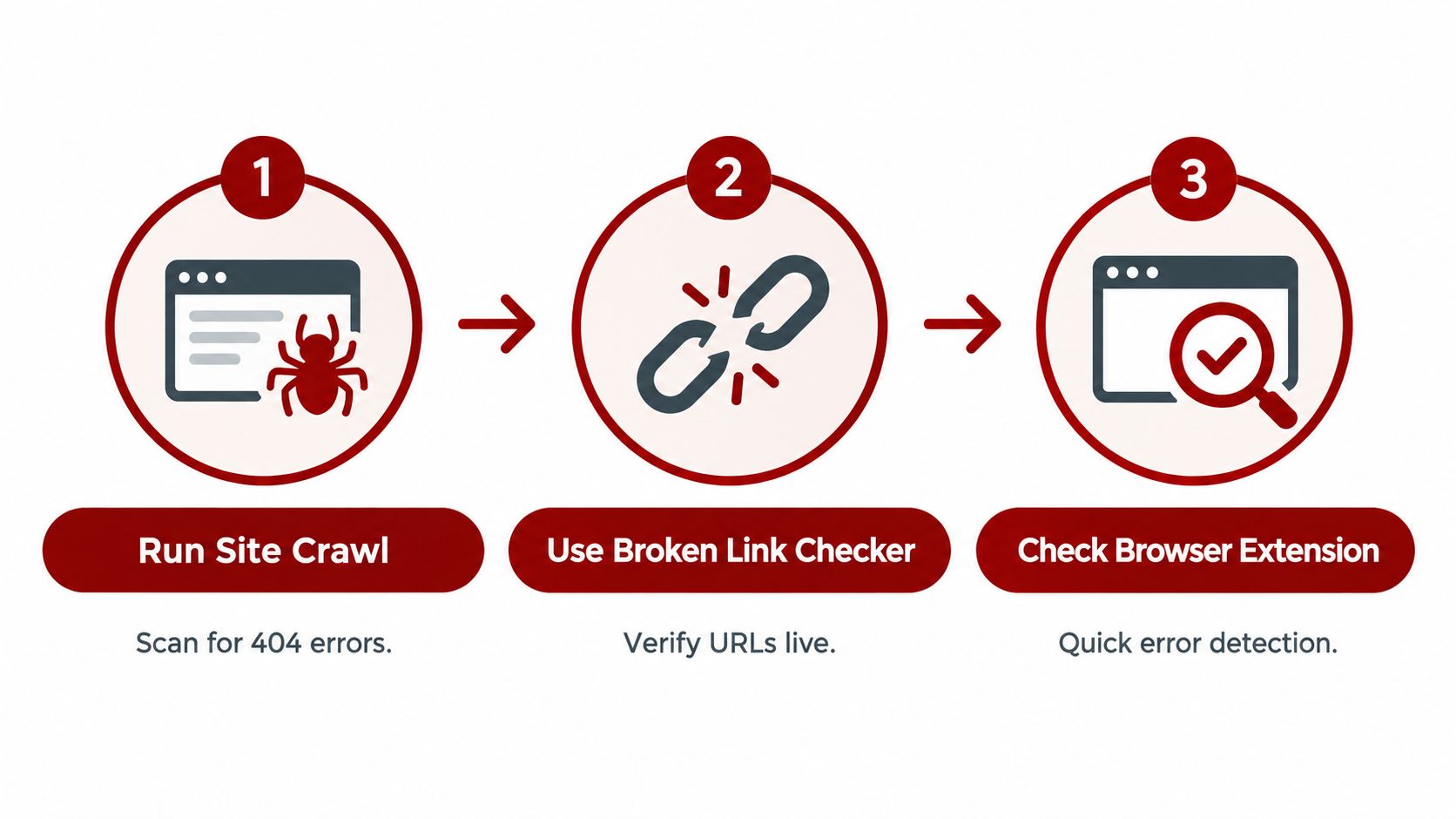
A crawler answers, “Where does my website link to a failed destination?” Search Console answers a different question, “Which URLs has Google tried to access and found unavailable or unsuitable for indexing?” Check the Page indexing report and inspect “Not found” and related crawling issues. Search Console isn't a complete inventory of every link on your site, because Google must encounter a URL before it can report the problem.
Use several checks for different failure types
A browser extension can scan an individual page while you review it. This is useful for a high-value service page, a contact page, a location page, or a newly published article. It can expose a mistyped URL, a redirect, or an anchor that doesn't reach the intended part of the page.
For outbound links, don't stop at your own domain. A resource page for a Prescott plumber may link to a manufacturer, permit resource, financing provider, or safety authority. If that destination disappears, update the reference, find an equivalent resource, or remove the link. If your own form or call path is also underperforming, this guide on how to improve website lead capture provides useful related context.
A Prescott plumbing company might discover during a redesign that old “water heater repair” pages were deleted while service-area articles still linked to them. The crawl identifies the source pages, Search Console shows which old URLs Google still encounters, and a browser check confirms that the replacement page works for a real visitor. For a broader technical review, Silva Marketing also documents its approach in this technical SEO audit checklist.
The long-term risk is substantial. Ahrefs reported that 66.5% of links pointing to more than 2.06 million sampled websites had rotted since January 2013, with another 6.45% returning temporary errors. The same analysis reported that 59.4% of lost backlinks were HTTP 404 or 410 cases, where pages had been deleted or moved without a working redirect. Those figures are discussed in Pew Research Center's summary of large-scale link-loss findings.
Deciding Which Broken Links Are Worth Fixing
Not every 404 deserves the same response. Google's Search Console guidance says many 404 errors don't need fixing, so the first question is whether the URL matters to users, navigation, valuable content, or external references.
Start by identifying the page where the broken link appears. A dead link in the primary navigation, a service page, a contact page, or a page receiving meaningful external attention deserves more attention than an obsolete internal draft that has no useful visitors.
Google's guidance supports evaluating each error before taking action. That means you shouldn't automatically redirect every deleted URL to the homepage. A poor redirect can confuse visitors and create a destination that doesn't match the original intent.
Broken link triage guide
Link Type | Recommended Fix | Priority |
|---|---|---|
Broken internal link | Correct the URL if the destination exists, or connect it to the closest relevant page | High when it appears on navigation, service, contact, or conversion pages |
Broken external link | Replace it with a reliable equivalent, contact the referring site when appropriate, or remove it | Medium to high when the link supports trust, evidence, or customer decisions |
Moved page | Update internal references and add a 301 redirect from the old URL | High when other pages or external sites still use the old address |
Deleted page with no equivalent | Leave a proper 404 or 410, and remove outdated internal references | Low unless the page still serves an important customer or referral path |
A Northern Arizona contractor might have an old page replaced by . If the old URL appears in a service menu, that is a clear repair priority. If an abandoned seasonal announcement returns a 404 and no page links to it, leaving it unavailable may be the correct decision.
The standard is relevance and impact, not a perfect error count. Fix the paths that help people contact you, understand your services, reach important resources, or move through the site. Leave genuinely obsolete URLs alone when they have no appropriate replacement.
Fixing the Links Yourself the Right Way
The safest repair follows the least disruptive path. Reproduce the failed URL first, determine what caused the failure, then change only what needs changing. A useful source-of-truth workflow distinguishes a typo, moved page, deleted page, access restriction, and broken in-page anchor before selecting a fix.

Correct a URL that points to an existing page
If the destination page still exists, update the source link directly. This is usually better than adding a redirect because visitors and crawlers reach the final URL without an extra step.
Common causes include a missing character, an old folder name, inconsistent capitalization, or a link copied from an earlier version of the site. For example, if a service page now lives at and an internal article still links to , update the article to the current address if the old page has no separate role.
Use a 301 redirect when the page genuinely moved
A 301 redirect tells browsers and search engines that the old URL has permanently moved. Use it when a page has a clear successor, especially after a redesign or URL restructuring.
A practical example is:
→
The target should be the closest relevant live page, not automatically the homepage. Redirecting an old water-heater page to a general contact page may technically avoid a 404, but it fails the visitor's intent and can create a soft 404 problem if the destination doesn't provide useful equivalent information.
Update internal links even after adding a redirect. The redirect protects old bookmarks and external references, while direct internal links keep your current site clean and reduce unnecessary routing. Silva Marketing's SEO migration checklist covers related checks for menus, headers, footers, breadcrumbs, and content links.
Restore, replace, or remove content thoughtfully
If a deleted page contained valuable service information, restoring it may be better than redirecting it elsewhere. If the information belongs on a newer page, consolidate the useful material and redirect the old address to that relevant replacement.
If the resource is gone and no equivalent exists, a proper 404 or 410 response is more honest than masking the problem with a misleading redirect. Remove internal links to the unavailable resource, and revise any surrounding copy that now makes an inaccurate promise.
External links require a different approach because you don't control the destination. Look for a replacement on the same site first, then consider a different authoritative resource only if it serves the same purpose. For high-value referrals, contacting the external website with the correct URL can help both organizations.
Use this practical sequence:
Reproduce the failure: Open the exact URL and confirm the response.
Identify the cause: Check for a typo, move, deletion, restriction, redirect issue, or broken anchor.
Choose the closest repair: Edit the source, redirect the old page, restore content, replace the resource, or remove the link.
Test the final path: Confirm that users reach the intended destination without a chain or another failed URL.
Verifying Fixes and Catching Soft 404s
A repair isn't complete when the editor saves the page. Open the original source page, click the link as a visitor would, and inspect the final destination. Confirm that the destination returns a valid response, contains the expected content, and doesn't pass through a series of unnecessary redirects.
Redirect chains deserve special attention. An old URL may point to an intermediate URL that redirects again before reaching the live page. Replace the internal source link with the final destination where possible, and keep the redirect from the original address for outside visitors and references.
Why a valid response can still look broken
Google defines a soft 404 as a page whose content, or lack of content, suggests an error even when the server response isn't a true 404. Search Console can classify that page as a soft 404, so changing a status code alone doesn't solve the problem.
For example, redirecting an obsolete service URL to a nearly empty page may technically produce a successful response. The visitor still sees no meaningful answer, and Google may still treat the destination as an error. The destination needs useful, relevant content that satisfies the intent behind the original link. Google's explanation of these response types is available in its HTTP status code troubleshooting documentation.
Check the full path from source to destination:
Source page: Does the link use the correct URL?
Redirect path: Does it resolve directly without a chain or loop?
Server response: Can users and Googlebot fetch the destination reliably?
Page content: Does the page answer the need implied by the link?
In-page target: If the link includes an anchor, does the target exist and appear correctly?
Search Console reports won't necessarily change immediately after you make the repair. Google states that crawl and error reports are collected and updated automatically as Google crawls the site, and there isn't a manual setting that clears them. An old error can remain visible until Google revisits the affected URL, so judge the repair by testing the live path as well as watching the report.
A practical sitemap review can support discovery after major changes, especially when pages were moved or consolidated. Silva Marketing outlines related considerations in its XML sitemap best practices.
Preventing Broken Links With a Simple Maintenance Routine
Repair removes today's failures. Maintenance reduces the chance that tomorrow's redesign, content update, or external citation change creates another set.
A practical routine for a local service business can stay simple:
Audit on a recurring schedule: Run a site crawl quarterly and after any redesign, migration, or large content update.
Maintain a redirect map: Record every old URL, its replacement, the reason for the change, and the date it was implemented.
Review important paths regularly: Check service-area pages, contact pages, primary navigation, and appointment or estimate forms more often than low-value archives.
Monitor outbound references: Replace outdated citations when a reliable equivalent exists, and remove references that no longer support the page.
Check accessibility: Test keyboard navigation, in-page anchors, visible focus, and skip links rather than relying only on a crawler's 404 report.
Accessibility belongs in link maintenance. WebAIM's 2026 Million report found that 1 in 10 skip links were broken or inaccessible, meaning a standard SEO audit can miss failures that affect people navigating with a keyboard or assistive technology. A link that works with a mouse may still fail when its target is hidden, missing, or unreachable through the page structure.
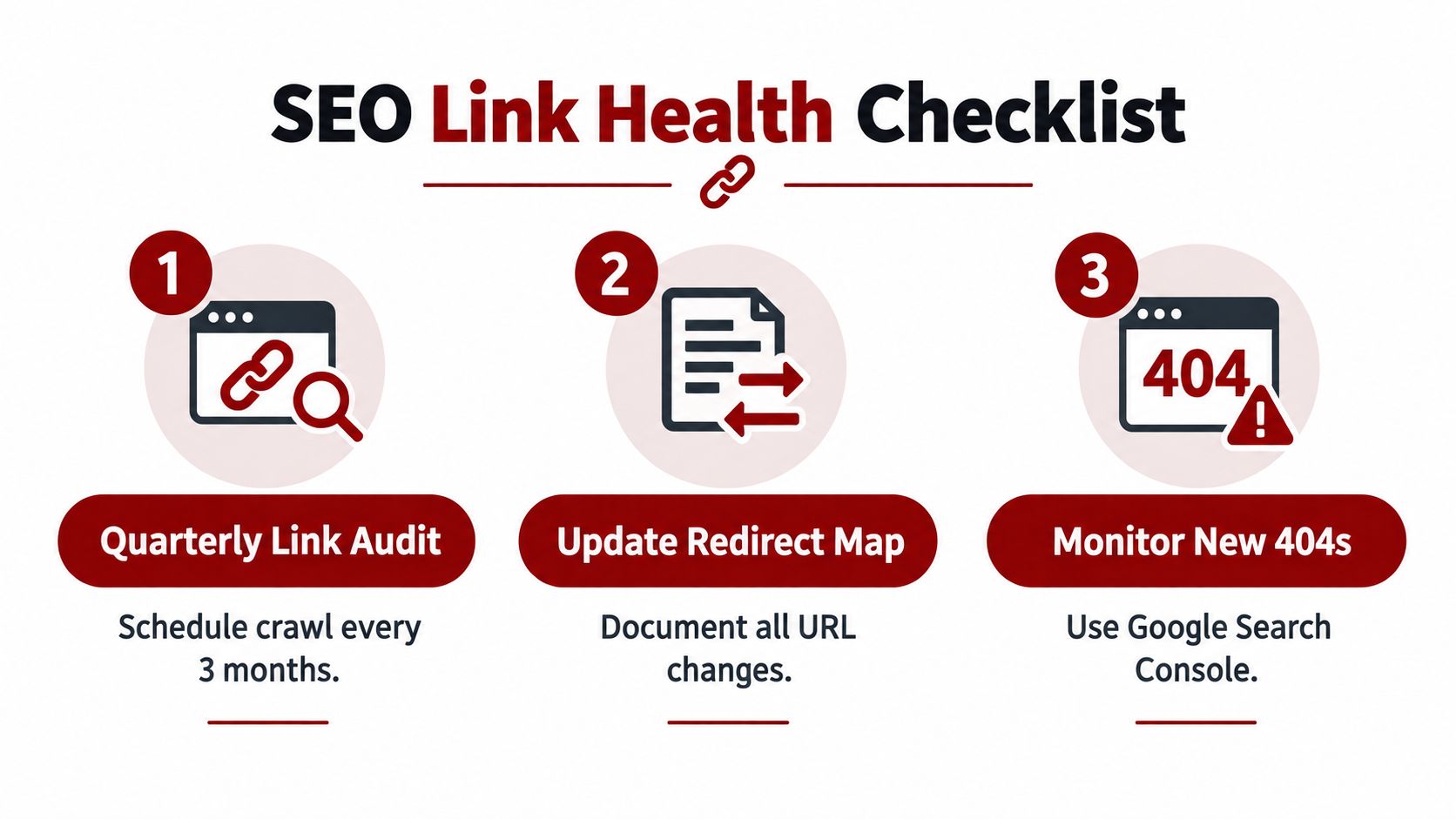
Outbound citations also need a preservation plan. A 2025 study reported that 65% of sampled URLs found in the Wayback Machine were dead on the live web when checked in 2023, while a later 2026 report noted permanent link rot rising from 5% in 2012 to 15% in 2025. The study details appear in this web archiving and link-rot research paper.
For local businesses, the quickest wins are usually consistent URL naming, testing links before publication, and recording URL changes before deleting pages. Silva Marketing has launched 500+ websites, and its transparent process includes technical planning, content structure, and post-launch checks. For sites with extensive archives, its guidance on crawl budget optimization provides additional technical context.
Broken Link FAQs and Next Steps
How long does it take for broken link errors to go away in Google Search Console?
Search Console updates crawl and error reports automatically as Google recrawls your website. There is no manual reset, so a corrected URL may continue appearing in a report until Google revisits it. Google's Search Console office-hours guidance explains why the report can lag behind a live fix.
Should every broken link be redirected?
No. Redirect a URL when the page has moved or a closely equivalent replacement exists. If the resource has been permanently removed and no relevant substitute exists, remove internal references and allow the URL to return a proper 404 or 410.
How do you find the real cause of broken links?
Reproduce the exact URL, inspect the source link, and check the server response and redirect path. Also verify whether Googlebot is encountering availability problems, because a failure may involve the server, access rules, or destination rather than a simple typo. Google's crawling-error troubleshooting documentation recommends checking whether Googlebot can access the site reliably.
Can broken links affect accessibility?
Yes. Broken in-page anchors, missing skip-link targets, and links that can't be reached through keyboard navigation can prevent some visitors from using the page effectively. Include accessibility checks in the same maintenance routine as crawler and Search Console reviews.
Silva Marketing helps Prescott and Northern Arizona businesses audit broken links, review redirects, verify important customer paths, and improve the technical foundation behind local search and lead generation. Visit Silva Marketing to schedule a free consultation and discuss a clear, no-pressure website audit.
Comments