
How to Improve Click Through Rates for Local Businesses

A Prescott HVAC owner can do everything that used to improve search visibility, then still watch impressions rise while clicks stay flat. The same problem appears across Northern Arizona, from plumbers and roofers to electricians, attorneys, and home-service contractors: a listing may be visible, but it doesn't give the searcher a strong reason to choose it.
This guide is for local service businesses that need more qualified calls, form submissions, and consultations from Google Search, Google Ads, and email. It focuses on businesses serving Prescott, Prescott Valley, Chino Valley, Dewey-Humboldt, Mayer, and the broader Northern Arizona region. The practical answer to how to improve click through rates is not to rewrite every headline blindly. It's to match the message to the channel, the searcher's intent, and the search-result features competing for attention.
Table of Contents
Why Your Click Through Rate Is Stuck - The wrong fix is usually obvious
Diagnose Your Current CTR Before You Change Anything - Sort performance by intent - Write down the baseline
Write Titles and Meta Descriptions That Earn the Click - Use the query as the starting point - Keep the message concise and specific
The New SERP Reality and What to Do About It - Match the feature to the query - Win the visible result, not just the ranking
Google Ads Tweaks That Lift CTR for Prescott Service Businesses - Build relevance without buying junk clicks - Five tests for the next campaign cycle
Structured Data and SERP Features Worth Chasing - Start with the business entity - Choose content markup by intent
Measuring CTR the Right Way and Knowing When to Stop - Set guardrails by intent - Know when CTR work is finished
Why Your Click Through Rate Is Stuck
The owner checks Google Search Console again. The service page has been shown repeatedly for searches related to heating repair, furnace replacement, and emergency HVAC help in Prescott, but the click-through rate has barely moved. His first instinct is to rewrite the title.
That may help, but it may also solve the wrong problem.
A flat CTR usually points to a diagnosis issue. The listing might answer an informational question while the searcher wants an immediate service. It might rank beneath a local pack, review results, or an AI Overview that answers the basic question before the searcher reaches the organic listings. Or the business may be running ad copy that once worked but now sounds identical to every competing contractor.
Practical rule: Don't optimize a click-through rate until you know which channel, intent stage, and search-result layout produced it.
A query such as “how often should I service my furnace” has a different click pattern from “HVAC repair Prescott.” The first searcher wants guidance and may be satisfied by an answer directly in the results. The second is closer to contacting a provider, so location, availability, trust signals, and a clear next step matter more.
The wrong fix is usually obvious
Local owners often change the title first because it's easy to edit. They add words such as “best,” “trusted,” or “professional,” then wait for improvement without checking whether the page is competing in the right result type.
That approach misses three important questions:
Does the page match the query? A general plumbing page won't earn many qualified clicks for a specific emergency water-heater problem.
Can the searcher see the listing? Local packs, AI Overviews, People Also Ask results, and carousels can push a traditional result lower.
Does the message feel current? Generic claims about quality don't distinguish a Prescott provider from another local business.
The right starting point is a channel-by-channel diagnosis. Organic listings, paid ads, and email each create clicks under different conditions. A service business should compare like with like, then improve the weakest point in the path from impression to visit.
Diagnose Your Current CTR Before You Change Anything
Start with a clean baseline. Export recent data from Google Search Console, Google Ads, and your email platform before changing titles, bids, subject lines, or landing-page copy. Record impressions or deliveries, clicks, CTR, conversions, and the page or campaign responsible.
The point isn't to create a complicated reporting system. It's to prevent the common mistake of judging a rewrite by memory. A spreadsheet with the original wording, date changed, audience, intent category, and resulting performance is enough to establish accountability.
Sort performance by intent
Use three practical buckets:
Channel | Informational | Commercial | Local transactional |
|---|---|---|---|
Organic search | How-to pages, definitions, maintenance advice | Service comparisons, pricing research, provider evaluations | “Plumber Prescott,” emergency repairs, appointment searches |
Google Ads | Educational queries, research terms | Service and solution searches | Calls, booking terms, nearby provider searches |
Newsletters and educational content | Offers, guides, product or service comparisons | Booking reminders, consultations, service requests |
A low CTR on an informational query may reflect a complete answer in the search results. The same performance on a branded or local transactional query deserves immediate attention. Never use one blended CTR as the business score.
Pull queries with strong visibility but weak engagement. In Google Ads, isolate ad groups with substantial click activity but disappointing lead quality. In email, compare subject-line engagement with actual link clicks, because a subject line can generate attention without creating a useful next action.
Google Ads benchmarks also vary sharply by vertical. A current benchmark covering more than 13,000 U.S. search campaigns reported an average CTR of 6.64%, with Arts and Entertainment at 12.75% and Automotive Repair at 5.56% (current Google Ads benchmark data by industry). Those figures aren't targets for every Prescott contractor. They're a reminder to compare a campaign with its own channel and industry context.
Write down the baseline
For every segment, record:
Query or audience: What did the person search or receive?
Intent: Was the person learning, comparing, or ready to contact a provider?
SERP context: Which features appeared above or beside the listing?
Message: What title, ad, subject line, and call to action did the person see?
Business result: Did the click produce a call, form submission, booking, or qualified inquiry?
Use the SEM performance metrics guide to keep paid-search reporting connected to business outcomes rather than isolated engagement figures.
A baseline turns CTR optimization into a controlled process. Without it, every change feels promising because no one has defined what success should look like.
Write Titles and Meta Descriptions That Earn the Click
A Prescott searcher decides quickly whether your result deserves attention. The title and description must answer three questions: Does this match my problem? Can I trust this provider? What happens after I click? Build that message around the channel and intent stage. A ready-to-hire search needs a direct service and location. An early research query needs useful context before a sales prompt.
Place the primary service and city naturally near the front of the title. Add a proof point only when the business can substantiate it, such as an established operating history, a verified rating, a certification, or a documented service promise.
Use the query as the starting point
Weak title:
Plumbing Services | Quality Plumbing Solutions
Stronger title:
Plumber in Prescott for Repairs and Replacements
Weak title:
Water Heater Services Prescott
Stronger title:
Emergency Water Heater Repair in Prescott
The stronger examples identify the service and location immediately. The description should answer the searcher's next question and set a clear expectation:
Need a water heater repaired in Prescott? Review service options, common causes, and the next step for arranging help.
Keep surrounding communities out of an overloaded title. Add Prescott Valley and other service areas in the page copy, service-area sections, and relevant location pages. A local customer should see accurate coverage, not a list of city names that makes the result harder to read.
Keep the message concise and specific
One SEO dataset found that titles between 15 and 40 characters produced an 8.6% higher CTR than longer titles. It also associated question-based titles with a 14.1% higher CTR and emotionally toned titles with a 7% higher CTR (SEO title and meta description statistics). Use those findings as editing guidance, not as a reason to force every page into a question or add emotion that does not suit the search.
Write the title for the searcher first. Write the description as a one-sentence answer followed by a calm next step. Remove unverifiable promises, repeated keywords, and CMS-generated titles that say little beyond “Home.”
Google rewrites meta descriptions frequently. The same dataset reports rewrites 62.78% of the time, while only 74.98% of top-ranking pages use a meta description. Give Google a useful draft anyway. For practical guidance, use this guide to writing effective meta descriptions. The title remains especially important, but a specific description can still shape the snippet Google displays.
Email follows a different click path. GetResponse's analysis found the highest email CTR, 17.57%, for subject lines between 41 and 50 characters (email subject-line click data). Use the subject line to earn the open, then give the email one clear offer and one obvious action. A strong subject cannot rescue a crowded body or a vague call to action.
Before publishing, remove the business name, generic adjectives, and repeated service terms. If the remaining title still tells a Prescott searcher what the page offers, where it is offered, and why the result deserves attention, keep the rewrite.
The New SERP Reality and What to Do About It
Position one no longer guarantees a click. Searchers may see an AI Overview, a local pack, People Also Ask questions, image results, videos, or sitelinks before they reach a traditional organic listing.
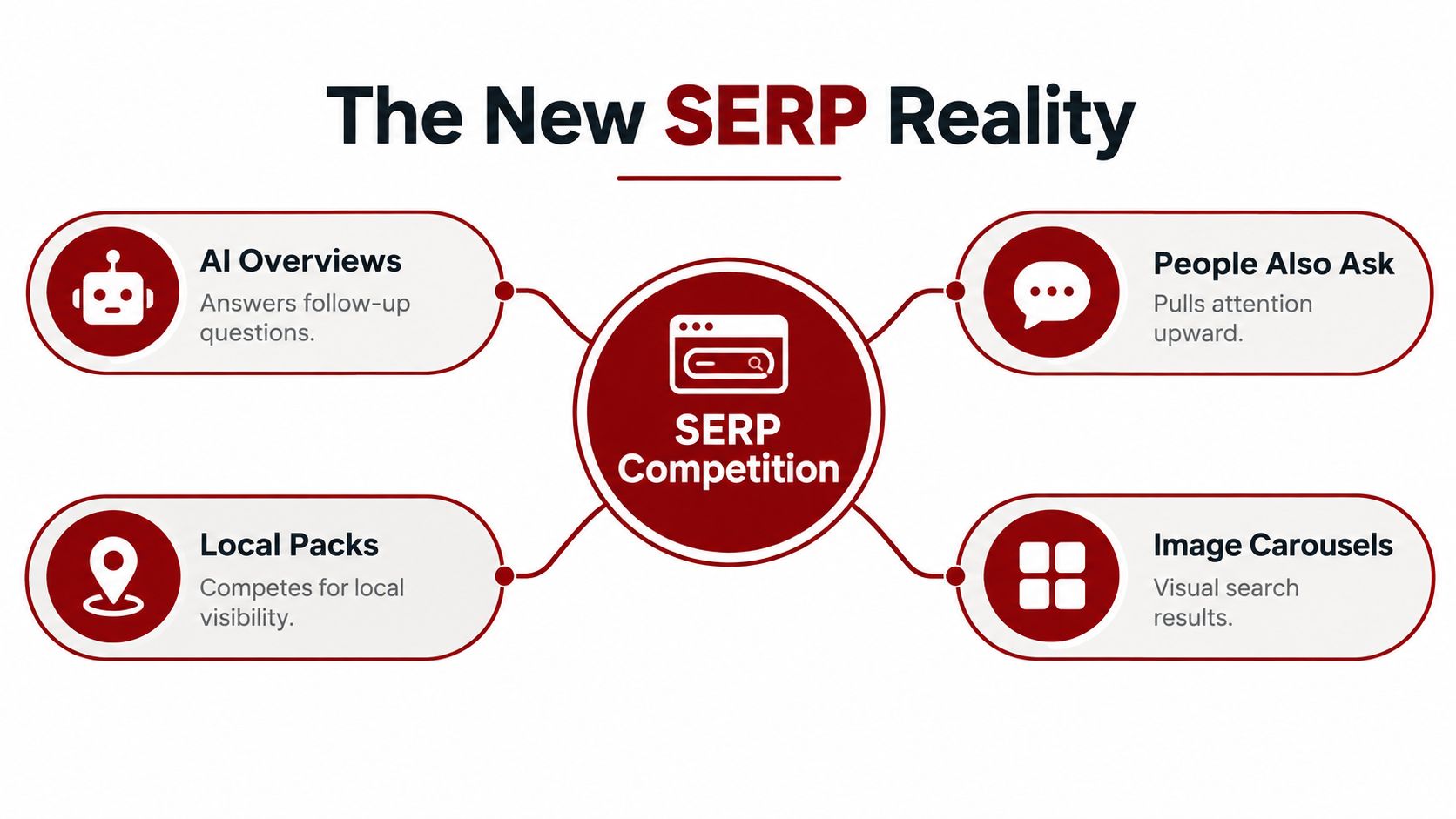
One recent analysis reported a 32% decline in position-one organic CTR, from 28% to 19%, associated largely with AI Overviews and expanding SERP features (analysis of organic CTR changes in modern SERPs). That doesn't mean every Prescott query has experienced the same movement. It does mean raw ranking position is an incomplete view of click opportunity.
Match the feature to the query
For “plumber near me,” the local pack may be the most valuable real estate. A complete Google Business Profile, accurate categories, consistent service information, strong review activity, and responsive call handling matter more than pushing a general plumbing article higher in the blue links.
For “water heater repair cost,” an AI Overview or People Also Ask result may answer the broad pricing question. A service page can compete by providing a concise explanation, clear factors that affect cost, local service context, and a direct next step for an inspection or quote. The content should be easy for search systems to understand and useful enough that a searcher still wants the full page.
Win the visible result, not just the ranking
Use a feature-specific playbook:
AI Overviews: Publish direct, well-structured answers supported by detailed service explanations. Define terms, explain causes, and state when a professional should assess the problem.
People Also Ask: Build question-led sections that answer one question completely before expanding into context. Add FAQ schema only when the visible page contains those answers.
Local packs: Treat the business profile as a primary conversion asset. Keep hours, phone details, categories, service areas, and photos accurate and consistent.
Image carousels: Use original, descriptive images of work, equipment, teams, and completed projects. Give each image useful surrounding context and accurate alternative text.
Sitelinks: Organize the website around clear service and location pages so searchers can choose the path that matches their need.
Titles also need to work below the fold. “Plumbing Services” disappears in a crowded result. “Prescott Emergency Plumber for Burst Pipes” communicates urgency, location, and service fit before the searcher has to read the description.
The question is no longer “How do I rank first?” It is “Which result type is visible for this query, and what would make a local customer choose this business from that real estate?”
Google Ads Tweaks That Lift CTR for Prescott Service Businesses
Prescott service-business ads often underperform because they describe the category instead of the decision. “Professional HVAC Services” tells the searcher what the company does. It doesn't explain why the searcher should select that ad now.
Start each responsive search ad with distinct angles. One headline can address response time, another can explain a guarantee that is valid, and another can speak to financing or appointment availability when those options are real. Don't fill every headline slot with minor variations of “trusted,” “quality,” and “local.”
Build relevance without buying junk clicks
Write descriptions around the customer's next question:
What problem does this service address?
Which Prescott-area customers does the business serve?
What information does the customer need before calling?
What happens after the click?
Pin a headline when controlling the first impression is important, such as keeping the city and core service visible. Leave other positions available for testing, because excessive pinning can reduce the combinations Google can evaluate.
Add call assets when phone calls are a realistic conversion path and the team can answer them professionally. Use lead forms only when the business has a reliable follow-up process. A form extension that creates unworked leads may increase activity while damaging trust.
Exact-match targeting can protect a high-intent campaign from loosely related searches. Broad match can uncover useful demand, but it needs conversion data, negative keywords, and close monitoring. Remove searches for jobs, training, free instructions, unrelated products, and services the company doesn't provide. A high CTR from irrelevant searches is a reporting failure, not a win.
Google Ads performance also depends on position and relevance together. One benchmark reports average CTR of 7.11% for search ads in rank one, compared with 0.55% at rank nine (search advertising CTR benchmarks and measurement guidance). Treat that as evidence that visibility matters, not as a reason to raise bids without checking lead quality.
Five tests for the next campaign cycle
Single-promise headlines: Compare a response-time message with a generic service headline.
Problem-led descriptions: Replace feature lists with an answer to the customer's next question.
Location specificity: Compare “Prescott” messaging with broader Northern Arizona wording where service coverage supports it.
Controlled first impression: Pin the core service and city, then test the remaining headlines.
Intent filtering: Add negative keywords from actual search terms and compare qualified leads, not clicks alone.
These tests should be documented in the same reporting system as the organic changes. The Google Ads best-practices guide provides additional context for connecting ad copy, targeting, and measurement.
Ad Copy Change | Typical CTR Lift | Lead Quality Risk |
|---|---|---|
Add the Prescott service and problem | Often improves relevance | Low, if the service is accurate |
Lead with a specific customer promise | Can attract stronger attention | Medium, if the promise is too broad |
Use urgency language | May increase immediate clicks | High, if it attracts people outside service hours or coverage |
Add financing or guarantees | Can improve offer clarity | Medium, if eligibility is unclear |
Use curiosity-heavy copy | May create more clicks | High, because the visitor may not be ready to buy |
The safest paid-search strategy is not maximum curiosity. It is precise relevance that filters for people a local provider can help.
Structured Data and SERP Features Worth Chasing
Structured data can improve how search engines interpret a business and its content, but markup doesn't create a rich result by itself. The page must contain accurate, visible information, and Google decides whether a result qualifies.
For a local service business, prioritize markup that reinforces entity clarity and page purpose. Then consider richer formats only when they match the content and customer journey.
Start with the business entity
markup can clarify the business name, location, phone number, hours, and service context. Use the most specific valid subtype available, such as a plumber, HVAC business, attorney, or another appropriate service category. Keep the details consistent with the website and Google Business Profile.
This is a foundation, not a shortcut. If the address, phone number, or hours differ across important profiles, adding schema won't repair the underlying inconsistency.
and review markup require particular care. Only mark up ratings that meet Google's guidelines and are visibly supported on the page. Don't copy third-party review scores into structured data without meeting the eligibility requirements. Trust signals can influence the click, but inaccurate review markup can create a compliance and credibility problem.
Choose content markup by intent
FAQ markup fits pages that answer real, recurring questions. It can help search engines interpret the content, but owners shouldn't expect every FAQ section to produce a prominent result. Use it when the answers help a searcher decide whether to call, prepare for service, or understand the problem. The FAQ schema markup guide is useful when validating the page structure.
How-To markup suits instructional content, especially maintenance or troubleshooting topics that lead naturally to professional help. It makes less sense on a sales page that doesn't provide a real sequence of steps.
JobPosting and Event markup belong on pages that advertise jobs or events. Don't add them to service pages just because they offer another possible search feature.
Schema Type | CTR Upside | Implementation Effort | Best For |
|---|---|---|---|
LocalBusiness | Strong for entity clarity and local relevance | Moderate | Local service providers with accurate business details |
Service-specific LocalBusiness subtype | Strong when the category is valid | Moderate | Plumbers, HVAC companies, attorneys, and similar businesses |
AggregateRating | Potentially strong for trust-led decisions | High compliance attention | Businesses with eligible, visible review information |
FAQPage | Modest and query-dependent | Low to moderate | Genuine customer-question content |
HowTo | Useful for instructional searches | Moderate | Maintenance, preparation, and DIY-adjacent guidance |
Event | Relevant only for event searches | Low to moderate | Workshops, open houses, and scheduled events |
JobPosting | Relevant only for recruiting | Moderate | Active hiring pages with complete job details |
For most Prescott contractors, the sensible order is entity markup first, compliant service or review implementation second, and FAQ or How-To markup where the content already deserves visibility. Don't spend development time chasing a feature that doesn't match the page's purpose.
Measuring CTR the Right Way and Knowing When to Stop
A strong click-through rate can still produce weak business results. A title may win attention from outside Prescott, an ad may attract people seeking a service you do not offer, or an AI Overview may answer a query before the searcher reaches your page. CTR measures the click, not the customer.
Track CTR, on-site conversion rate, and cost per booked job together. If the numbers disagree, give the greatest weight to the metric closest to revenue, then use the others to identify the problem.
Higher CTR with weaker leads usually means the message became too broad, too sensational, or too appealing to people outside the service area. Lower CTR with stronger booked-job performance can mean the title or ad is filtering out poor-fit traffic. That is a worthwhile trade if qualified work improves.
Set guardrails by intent
Judge CTR within the searcher's intent stage and channel. A “plumber near me” click signals a nearer-term service decision than a click on a maintenance article. The result page may also include a local pack, ads, AI Overviews, and other actions, so neither query should share the same benchmark.
Search Intent | Typical CTR Range | What to Watch | When to Stop Optimizing |
|---|---|---|---|
Informational | Highly variable | Whether the answer satisfies the query and introduces the service naturally | Stop when clicks do not improve qualified discovery or assisted conversions |
Commercial | Context-dependent | Message clarity, comparison intent, and landing-page relevance | Stop when additional clicks do not improve inquiry quality |
Local transactional | Often more valuable than broad research traffic | Calls, forms, service area, response time, and booked work | Stop when qualified lead volume or acquisition efficiency stops improving |
Branded | Usually stronger than generic discovery terms | Accuracy, trust signals, and easy contact paths | Stop when the listing captures the intended branded demand |
Email service or offer message | Depends on audience and offer | Delivery, meaningful clicks, and downstream action | Stop when click gains do not produce useful visits or bookings |
Email deserves its own comparison. Personalization can improve relevance when the business has a legitimate reason to know the recipient's context and can make the next step more useful. Experian reported a 41% increase in unique click rate for personalized promotional mailings compared with non-personalized mailings (email personalization click-rate data).
Build a dashboard that separates the original and revised versions, audience or query segment, channel, and business outcome. Review content performance metrics that matter to apply the same measurement discipline across local search, paid campaigns, and email. The planned measurement reference is also available through content performance metrics that matter.
Know when CTR work is finished
Stop a CTR experiment when another gain no longer lowers cost per lead, increases conversion volume, or improves booked-job quality. Shift the budget and attention to the landing page, offer, intake process, or call handling.
A searcher can click a well-written ad and still leave because the page loads slowly, the service area is unclear, the phone number is hard to find, or the offer does not answer the immediate question. CTR gets the visitor through the door. Conversion optimization gives that visit a reason to become a customer.
A Prescott and Northern Arizona business can use Silva Marketing for custom websites, SEO, Google Ads management, and measurement tied to calls and qualified leads. Visit Silva Marketing to review the path from search impression to booked job and discuss a practical next step without pressure.
Comments