
Landscaping Website Design That Wins Local Calls in 2026

A homeowner in Prescott Valley is standing beside a failing irrigation zone on a dry spring weekend, searching on a phone for repairs and a seasonal cleanup. Your website needs to show that you handle both jobs, serve that property, and offer a clear way to request an estimate. Good landscaping website design makes that decision easy, rather than asking the homeowner to sort through a digital brochure.
This guide is for owners and managers of landscaping, lawn care, irrigation, and hardscaping companies in Prescott, Prescott Valley, Chino Valley, and surrounding Northern Arizona communities. Silva Marketing, a Prescott-area agency based in Prescott Valley, wrote it to explain how service pages, project evidence, local information, and measurable contact routes work together to earn calls and estimate requests.
Table of Contents
The Core Elements of a Landscaping Website - What does a landscaping website need?
Service Pages Built Around How Homeowners Search - What should each service page explain? - How long should a service page be?
Project Galleries That Prove the Work - What makes a useful project caption? - How many projects should a gallery show?
Local SEO Signals That Support Map Pack Visibility - How does the website support local visibility? - Do I need a separate page for every city?
Mobile Usability and Speed Standards to Meet - What do Core Web Vitals measure? - Which speed number should I trust?
Trust Signals That Earn the First Call - What can a homeowner verify? - Do reviews need to be on the website?
Lead Paths That Turn Visits Into Estimates - How do you know which visits produce work? - How many form fields should a quote request have?
Landscaping Website Design Questions Answered - Is a landscaping website still needed if most jobs come from referrals? - Should each service have its own website? - Should a landscaper use a template builder or a custom build? - How often should the site be updated? - Does accessibility matter on a landscaping site?
The Core Elements of a Landscaping Website
A landscaping website needs to answer practical questions before it tries to impress anyone. Someone standing in a yard should be able to identify the right service, check coverage, inspect relevant work, and contact the company without hunting through menus.
Mobile devices represented approximately 59.6% of worldwide web traffic in 2025, according to Linearity's web design statistics. That worldwide figure isn't a measurement of your customers, but it supports designing for the phone in their hand rather than treating mobile as a smaller desktop screen.
What does a landscaping website need?
The essential components should connect, not compete. A project photograph belongs near the service it demonstrates, and an estimate button belongs where the visitor has enough information to act.
Core elements of a landscaping website
Element | Question It Answers | Minimum Content |
|---|---|---|
Service pages | What do you actually do, and for whom? | One page per service with a plain first paragraph, scope, process, and specific questions |
Project galleries | Have you done work like mine? | Real projects grouped by service, with captions naming materials, plants, and timing |
Location and service-area pages | Do you serve my street? | An honest list of towns and neighborhoods that matches the Google Business Profile |
Mobile layout | Can I use this on my phone outside? | Readable text, large tap targets, visible click-to-call, and a map or directions link |
Speed and stability | Does it load without jumping around? | Compressed images, reserved image space, and limited scripts |
Trust proof | Can I trust this company? | Verifiable licenses, insurance, reviews, and named team members |
Lead paths | How do I get an estimate? | Click-to-call, a short quote form, and tracked sources on every key page |
The first screen should make those routes apparent without displaying every detail at once.
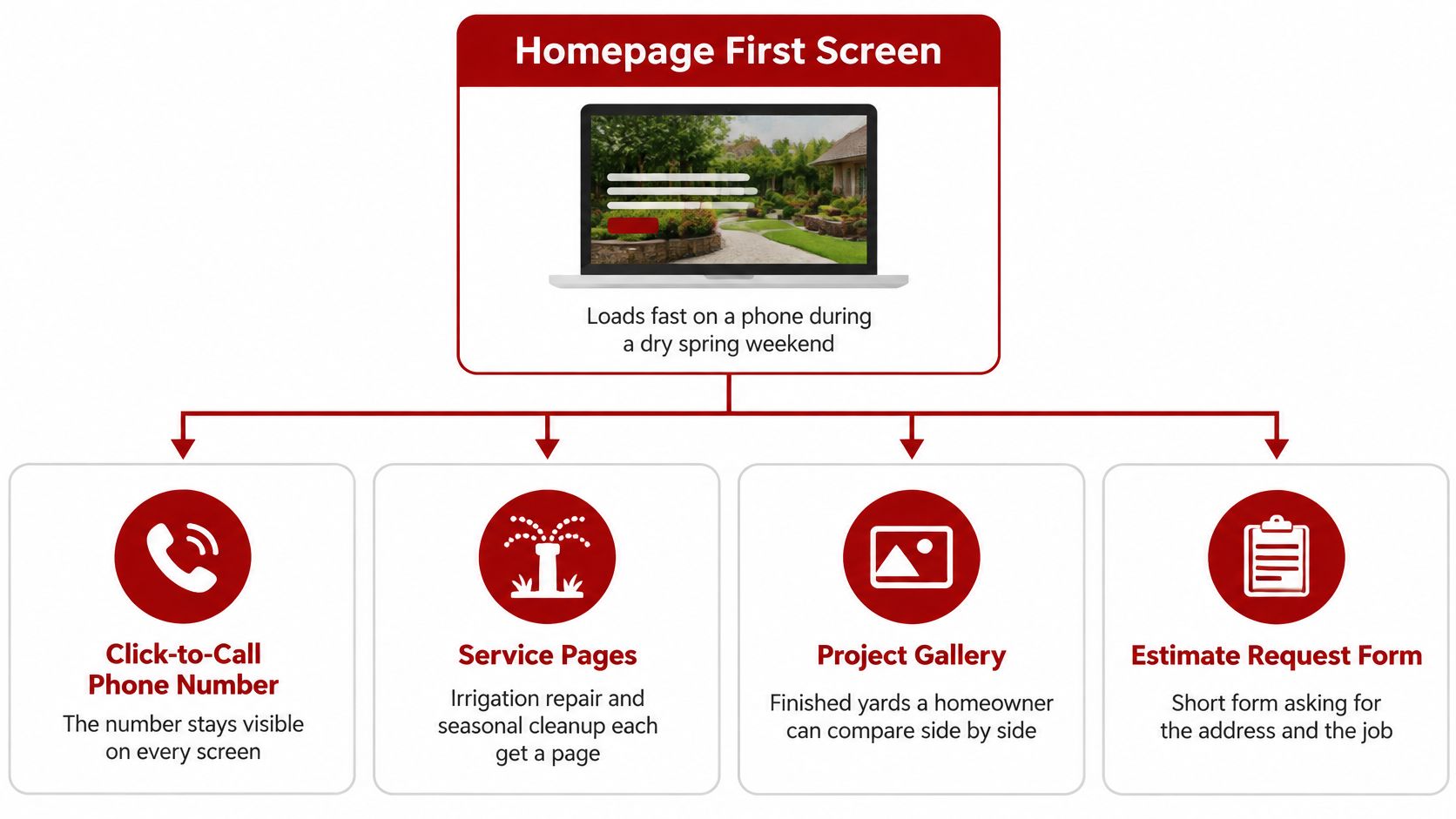
Practical rule: Give each page a clear job and each interested visitor an obvious next step.
A homeowner's questions usually follow a sensible order: What do you do? Have you done work like mine? Do you serve my street? Can I trust you? How do I reach you? Design the navigation and page content around those questions, not around internal department names or decorative effects.
Service Pages Built Around How Homeowners Search
Give each distinct service its own page within the same website. A homeowner searching for drip irrigation repair needs a different explanation from someone considering flagstone patio installation. A long services list names both jobs but rarely answers either customer's questions.
Think of a restaurant menu. Each dish needs an honest description of what's included, not just an attractive photograph. Your irrigation page should explain whether you diagnose pressure problems, replace damaged lines, repair valves, or install controllers, rather than leaving visitors to guess.
What should each service page explain?
A Prescott-area company might organize its pages around garden design, lawn care, irrigation installation and repair, hardscaping, tree and shrub care, and seasonal maintenance. Separate installation from repair when the scope, process, and customer questions are meaningfully different.
Build each page around the actual job:
Start with the service and customer. Explain what you do and whether you work with homeowners, commercial properties, or both.
Describe relevant site conditions. Discuss how you assess caliche soil, high-desert heat and wind, access, drainage, and applicable watering limits. Don't imply every property has the same conditions.
Set boundaries. State what's included and excluded, such as debris hauling, electrical work, plant replacement, or ongoing maintenance.
Explain scope and scheduling. Describe the work your crew can deliver and what affects timing, including materials, site access, and weather.
Show the process. Explain the progression from inquiry and site assessment to proposal, installation, cleanup, and handoff.
For design clients still sorting out ideas, OutdoorBrite's guide to landscape design software for homeowners can help them prepare a rough layout before a consultation. Explain that a homeowner's sketch starts the conversation; it doesn't replace measurements or a site assessment.
How long should a service page be?
Long enough to answer what a homeowner would ask on the first call, usually a few hundred words. Never publish a thin page with a city name swapped into a template.
Add service-specific questions about preparation, repairs, maintenance, and scheduling. Replace duplicate paragraphs with job-specific explanations, replace vague promises such as quality work with a concrete process, and bring services out of the footer into the main navigation.
Project Galleries That Prove the Work
A project gallery is evidence, not decoration. A homeowner comparing contractors can't conveniently inspect everyone's completed yards, so your gallery should provide the closest useful substitute for a walk-through.
Organize photographs so visitors can recognize a property like theirs.

Group projects by service and property type, such as front-yard xeriscapes, irrigated backyards, or sloped lots with retaining walls. Pair before-and-after photographs taken from the same angle so the visitor can understand what changed.
What makes a useful project caption?
Use a consistent caption structure: service, location, materials, planting, duration, and ongoing care. Record the actual completion date and town, with the customer's permission, without publishing a private address.
For a hypothetical Prescott backyard project, a caption might explain that the crew installed flagstone seating, decomposed granite paths, drip zones, and drought-adapted planting. Add the recorded installation duration and explain tasks such as checking emitters, managing weeds, and seasonal pruning.
Describe the visible outcome. Alt text might read: Terraced retaining wall with planted beds in a Prescott backyard.
Keep captions available. Don't hide essential explanations inside autoplay sliders.
Use genuine photographs. Never present stock landscaping images as completed company work.
Our guide to optimizing images for SEO explains how image preparation supports discoverability without sacrificing useful visual detail.
Video is another format for showing the relationship between spaces, provided essential project information remains available in text.
How many projects should a gallery show?
Choose a curated set for each service, often six to ten strong projects that demonstrate the range of work, rather than every job ever completed. Treat that as an editorial starting point, not a requirement to fill empty spaces with weaker photographs.
Real details about the site and finished work tell a homeowner more than polished filters do.
Local SEO Signals That Support Map Pack Visibility
Google's guidance on local ranking identifies relevance, distance, and prominence as the primary factors. Think of asking a neighbor for a recommendation: they consider who does that kind of work, who's nearby, and who's known around town.
Your website supports that assessment, but it can't make a distant company physically closer to the searcher. Clear coverage information is more useful than repeating community names throughout a footer.
Local information should help the homeowner check whether the company is a realistic option.

How does the website support local visibility?
Connect each ranking factor to a practical action:
Relevance. Name services plainly. An irrigation repair page should describe irrigation repair, not rely on a broad outdoor living slogan.
Distance. Publish actual coverage and business-location information. Don't invent offices or imply that every nearby community receives every service.
Prominence. Support legitimate reviews, directory listings, relevant links, and documented community involvement. Mention sponsorships or civic projects only when they're real.
Keep the same business name, address, and primary phone number across the website, Google Business Profile, and directories. For example, Silva Marketing's office address is 8101 E Pecos Dr., Prescott Valley, AZ 86314, USA. That's the address to match consistently, rather than alternating between invented Prescott and Prescott Valley office locations.
We serve Prescott, Prescott Valley, and Chino Valley. The same principle applies to a gardening business: distinguish where it is based from where crews travel.
Do I need a separate page for every city?
Only create a separate page for places you serve and can describe specifically. Otherwise, use a service-area page with an honest list of Prescott, Prescott Valley, Chino Valley, and the nearby communities your crews cover.
A useful location page might describe real projects, access considerations, and services available there. Our guide to local SEO for landscapers develops that service-and-location approach.
LocalBusiness structured data is supporting infrastructure. Google's LocalBusiness documentation explains how markup can communicate details such as the name, address, telephone, website, and hours; those details should match visible page content.
Schema isn't permission to invent ratings or coverage. Mismatched names, inconsistent phone numbers, and service areas that don't match the work undermine the local identity you're trying to establish.
Mobile Usability and Speed Standards to Meet
A homeowner checking a problem beside the yard needs a website that works on a phone, outdoors, without precise tapping. Design the important actions for that situation rather than assuming a visitor is seated at a large monitor.
Visible calling. Put a click-to-call button within the opening screen.
Comfortable controls. Make buttons and menu items easy to tap with a thumb.
Useful location access. Provide directions to a customer-facing location or a clear service-area check.
Brief service summaries. Let visitors identify the right page quickly.
Manageable forms. Keep the initial quote request short and label every field.
What do Core Web Vitals measure?
Largest Contentful Paint, or LCP, measures how quickly the main content appears, often the yard photograph or headline. Interaction to Next Paint, or INP, measures how quickly the page responds after a tap. Cumulative Layout Shift, or CLS, measures unexpected movement, like a phone button sliding away just as someone touches it.
Google's Core Web Vitals guidance evaluates a good experience at the 75th percentile of real page loads. The good, intermediate, and poor boundaries below follow Google Search's performance documentation.
Core Web Vitals thresholds for a landscaping site
Metric | Good | Needs Improvement | Poor |
|---|---|---|---|
Largest Contentful Paint (LCP) | 2.5 seconds or less | Above 2.5 through 4 seconds | Above 4 seconds |
Interaction to Next Paint (INP) | 200 milliseconds or less | Above 200 through 500 milliseconds | Above 500 milliseconds |
Cumulative Layout Shift (CLS) | 0.1 or less | Above 0.1 through 0.25 | Above 0.25 |
Treat these as acceptance criteria, not decorative scores on a launch report. Compress and properly size project photographs, serve WebP or AVIF files where supported, and optimize the opening image separately from the rest of the gallery.
Reserve image dimensions so content doesn't jump. Lazy-load galleries below the opening screen, limit unnecessary JavaScript, and leave space for review widgets or notices before they appear.
Which speed number should I trust?
Trust field data from real mobile visits, evaluated at the percentile Google specifies, rather than a single lab score on an office connection. Use PageSpeed Insights to distinguish available field results from its simulated diagnostic test.
A site can feel fast on office Wi-Fi and still frustrate someone using a cellular connection.
Our mobile website optimization guide provides additional checks for navigation, layout, and contact controls.
Trust Signals That Earn the First Call
When a homeowner compares similar quotes, a polished logo doesn't resolve the important uncertainties. They want to know who will arrive, whether the company is qualified for the work, and whether its claims can be checked.
Verifiable proof is stronger than a collection of badges. Publish applicable contractor license information, current insurance and bonding details, and credentials the crew holds. Distinguish manufacturer training from a license or an independent certification.
What can a homeowner verify?
Trust signals a visitor can verify
Signal | How a Visitor Can Verify It | Risk If Faked |
|---|---|---|
Contractor license number | Look it up on the state licensing board | Invented or expired number |
Proof of insurance and bonding | Certificate available on request | Trust badge with no certificate behind it |
Crew certifications such as irrigation or pesticide licensing | Certificate number matches a public record where available | Manufacturer logo for training no one completed |
Google reviews with count and average | Linked profile shows the same numbers | Star ratings or counts that don't match the profile |
Named team members with roles | Photos and roles match people on site | Stock photos presented as the crew |
Years operating locally | Matches business records and profile history | Inflated years of operation |
Awards | Named issuer and year | Unverifiable award logos |
Show team members with their names and responsibilities. State years operating locally accurately, distinguishing the company's history from an individual's previous employment.
Community sponsorships, school projects, civic work, or faith-based commitments can explain a company's values when they're genuine and something the business wants to share. They shouldn't imply qualifications the company doesn't hold.
Do reviews need to be on the website?
Not necessarily, but any reviews shown must be real, linkable, and consistent with the relevant profile. If you display a Google review count and average, keep them synchronized and link directly to the profile.
For permission-based testimonials, include a first name and last initial, the service, and the town. Silva Marketing's more than 500 websites launched illustrates the kind of specific track-record statement a business should be prepared to support with portfolio evidence, rather than an unverifiable claim to be the best.
Lead Paths That Turn Visits Into Estimates
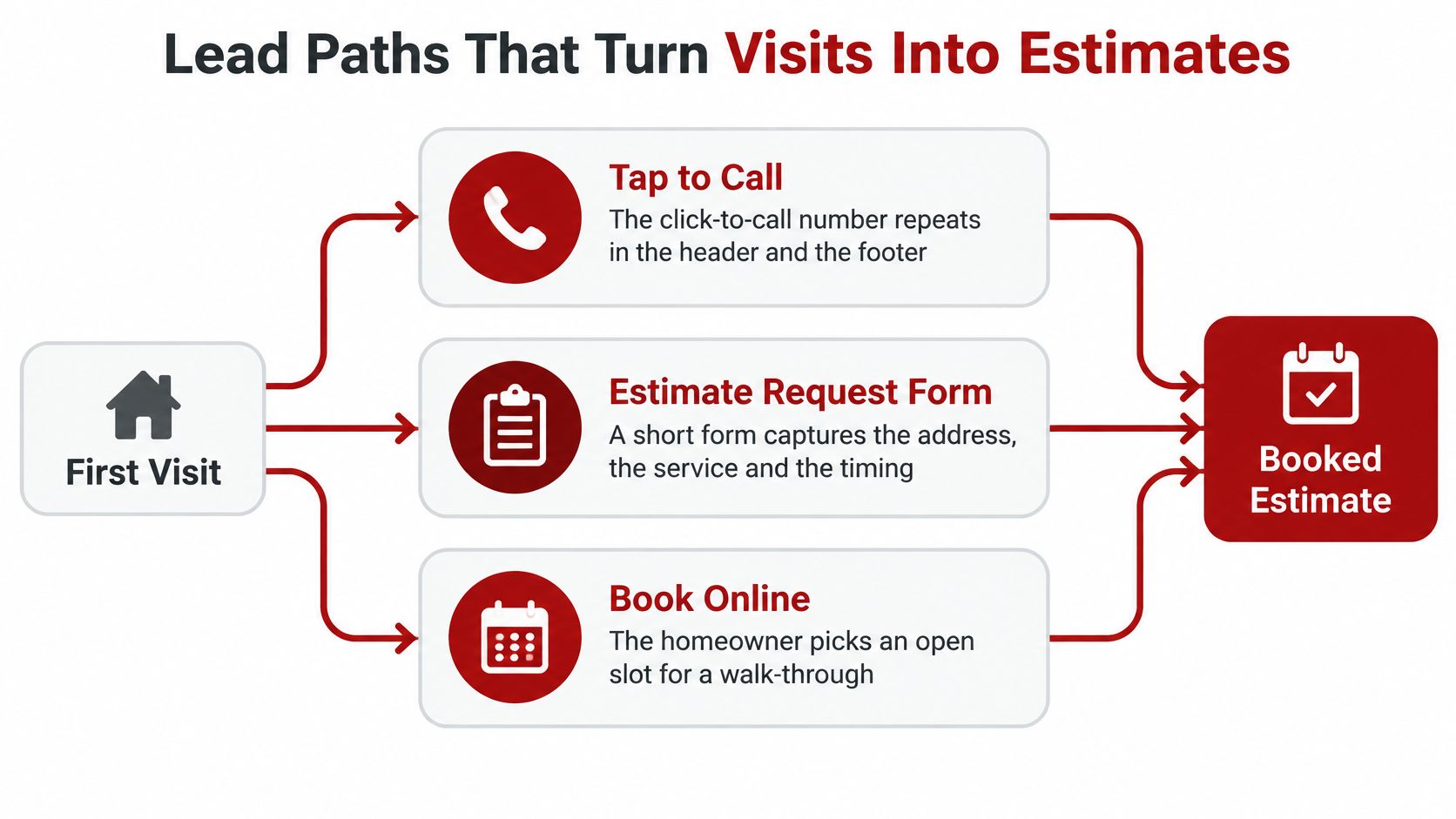
A lead path is the route from first visit to a booked estimate, not just a button labeled Contact. The website, acknowledgment, scheduling process, and outcome record all need to connect.
Give visitors a click-to-call number in the header and at the end of each service page, a short estimate form, and a way to check service coverage. Offer online booking only when the available appointments reflect the crew's actual assessment schedule.
The process should remain understandable whichever contact route the homeowner chooses.
How do you know which visits produce work?
Record the visit source, capture the call or form, acknowledge receipt, schedule the site visit or estimate, and record the outcome. Separate paid campaigns using dedicated landing pages or tracking numbers, and capture identifiable AI referrals without assuming every source can be detected automatically.
ClickTrack Marketing's landscaping website guidance discusses AI-assisted discovery and attribution. The practical distinction is qualified work versus mentions: an unsuitable AI-referred inquiry can be less useful than a smaller stream of local-search leads that fit your services.
Measuring each lead path
Metric | Question It Answers | Where It Is Recorded |
|---|---|---|
Call tracking | Which channel produced each call? | Tracking number on each landing page |
Form-source capture | Which page or campaign sent the quote request? | Hidden field in the quote form |
How did you find us? | Did the lead come from AI tools, Google Maps, or a referral? | CRM intake field |
Booked-estimate rate | How many leads become scheduled estimates? | CRM pipeline |
Close rate | How many estimates become signed jobs? | CRM pipeline |
Revenue by channel | Which channel produces profitable work? | Accounting linked to the CRM, with job costs |
Revenue identifies sales contribution; job costs are also needed to judge profitability. Don't treat a phone-button tap as a completed call or an accepted job.
How many form fields should a quote request have?
Include only the fields needed to price or route the job, usually five to seven. Move detailed qualification questions into the follow-up conversation.
A practical form asks for name, phone, service, property town or ZIP code, project description, and preferred contact time. Our contact form optimization guide explains how to reduce unnecessary effort without losing useful intake information.
Landscaping Website Design Questions Answered
Is a landscaping website still needed if most jobs come from referrals?
Yes. A referred homeowner can use the site to verify services, coverage, and similar completed work before calling. The website supports the recommendation by making those facts easy to check.
Should each service have its own website?
No, not for a typical landscaping company operating under one business identity. Use a dedicated page for each service within one website so customers and search engines can connect the work, team, contact details, and reputation.
Should a landscaper use a template builder or a custom build?
Either can work if the finished site performs well on mobile, the team can edit it, and project galleries remain lightweight. Judge the finished result against real-device usability and performance checks, not the platform label alone.
How often should the site be updated?
Refresh galleries after each season's completed projects and change coverage information whenever crews begin or stop serving a community. Update team details, credentials, availability, and contact information when they change rather than waiting for a redesign.
Does accessibility matter on a landscaping site?
Yes. Descriptive alt text, readable contrast, keyboard-accessible forms, and meaningful gallery captions help visitors understand the work without relying entirely on photographs. Supersonic Landscaping's website trends guide connects accessible, low-bandwidth presentation with practical project information, including maintenance, scope, and site constraints.
Useful test: If the photographs don't load, a visitor should still understand what you built and how to ask about a similar job.
Decide Whether Your Site Is Ready for More Calls
Open your website on a phone this week and follow the route a new homeowner would take. Choose a specific job, such as repairing a drip zone in Chino Valley, rather than browsing as the owner who already knows where everything is.
Use this checklist to separate functional problems from cosmetic preferences:
Check loading and stability. Confirm that real mobile performance meets the Core Web Vitals acceptance criteria and that important controls don't shift.
Find the phone action. Make sure a click-to-call button is visible without scrolling and reaches the correct number.
Inspect service pages. Each service should have a dedicated page with an understandable opening paragraph.
Review project evidence. Confirm that galleries contain genuine work with captions explaining the result.
Compare coverage. Match the website's service-area list to the Google Business Profile and actual crew coverage.
Verify business identity. Check the name, address, and primary phone number across the website and public listings.
Follow the attribution. Submit a test inquiry and confirm that its source and eventual outcome can be recorded.
If several checks fail, repair the mobile lead path and listing consistency first. Adding more content won't resolve a broken form, an incorrect number, or uncertainty about whether you serve the property.
You can run these checks independently or discuss the findings with Silva Marketing, the Prescott Valley agency serving Prescott, Prescott Valley, and Chino Valley. We align on goals and budget before preparing a proposal, and new clients receive an itemized proposal within 48 hours. There's no obligation to proceed and no deadline for deciding.
Silva Marketing offers a free 30-minute call to review your landscaping website's service clarity, mobile contact routes, and lead tracking. Visit Silva Marketing to arrange a conversation about what needs fixing first and whether a redesign is necessary.
Comments