
Google Ads Call Extensions for Local Leads

A homeowner in Prescott searches for an emergency plumber, taps a Google ad, and expects a person to answer. Instead, the ad sends them to a homepage, the phone number is buried below the fold, and nobody answers after business hours. The click cost money, but the opportunity disappears before the company ever speaks with the prospect.
Google Ads call extensions, now called call assets, give local service businesses a more direct path from a high-intent search to a phone conversation. A clickable number can appear with a responsive search ad, allowing a searcher to call without navigating through a website first. For contractors, home-service companies, medical practices, and other phone-led businesses in Prescott, Chino Valley, Prescott Valley, and Northern Arizona, that shorter path can matter more than another website visit.
Silva Marketing helps local businesses connect paid search with measurable phone leads through Google Ads, conversion-focused websites, and search strategy. Its broader approach to local lead generation is described in this guide to lead generation for local businesses, where the practical objective remains the same: attract the right searcher, make the next step clear, and measure what happens after the click.
Table of Contents
Why Local Businesses Need Google Ads Call Extensions - What does a Google Ads call extension do? - Why clicks alone aren't enough
The Shift from Call Ads to Call Assets - What changes for local advertisers - A practical migration sequence
Setup Requirements and Verification Rules - What numbers can businesses use? - How to reduce avoidable disapprovals
Tracking Call Quality and Attribution Data - The important threshold difference - What attribution should reveal
Scheduling Assets to Match Business Hours - How to build a usable schedule - Match numbers to the operating model
Optimizing Ad Copy to Drive Phone Calls - Does more call volume mean better performance?
Frequently Asked Questions About Call Assets - Are call assets the same as call-only ads? - Where can I add a call asset? - Do call assets work on Display campaigns? - What if a forwarding number doesn't connect? - How should a multi-location business use call assets? - What should count as a phone conversion?
Why Local Businesses Need Google Ads Call Extensions
A person searching for “roof repair Prescott” may be comparing providers. A person searching for “roof leak repair near me” may already be standing under a bucket. Both searches can trigger an ad, but they don't carry the same conversational urgency. A call asset gives the second searcher a clear way to reach a real business without making them search the page for contact information.
That direct connection is especially useful for contractors and service businesses. A customer may need to explain a plumbing issue, confirm whether an electrician serves their neighborhood, or ask if an HVAC company can dispatch to Prescott Valley. Forms can collect useful information, but they also create delay. Phone calls let the business qualify the request, answer objections, and determine whether the service area and job type are a fit.
What does a Google Ads call extension do?
A call asset attaches a verified business phone number to an eligible search ad. On a mobile device, the searcher may see a tap-to-call option. Google describes call assets as a format that can increase clickthrough rates because users can call directly from the ad, although the platform decides when the asset appears. See Google's explanation of call assets and phone-number verification for the current requirements.
The important distinction is between visibility and availability. A phone number creates an opportunity to call, but it doesn't guarantee a qualified conversation. The business still needs accurate targeting, relevant ad copy, working phones, trained staff, and a conversion setup that separates genuine opportunities from accidental or low-value calls.
Practical rule: A call asset should lead to a person who can answer the specific promise made in the ad.
For a Prescott contractor, that could mean routing roofing searches to the roofing desk rather than a general voicemail. For a Northern Arizona professional service provider, it may mean using a receptionist who knows which communities the company serves. The ad, phone number, greeting, and follow-up process should feel like one experience.
Why clicks alone aren't enough
A click tells you that someone engaged with the ad. It doesn't tell you whether the person needed emergency service, asked about employment, reached the wrong company, or abandoned the page. A call can reveal intent more clearly, but only when the campaign records enough information to evaluate it.
That's why call assets should sit inside a broader measurement plan. Silva Marketing's local work combines Google Ads with custom websites, SEO, and conversion tracking so businesses can assess whether paid search is producing conversations that match their services and service area, rather than just accumulating clicks.
The Shift from Call Ads to Call Assets
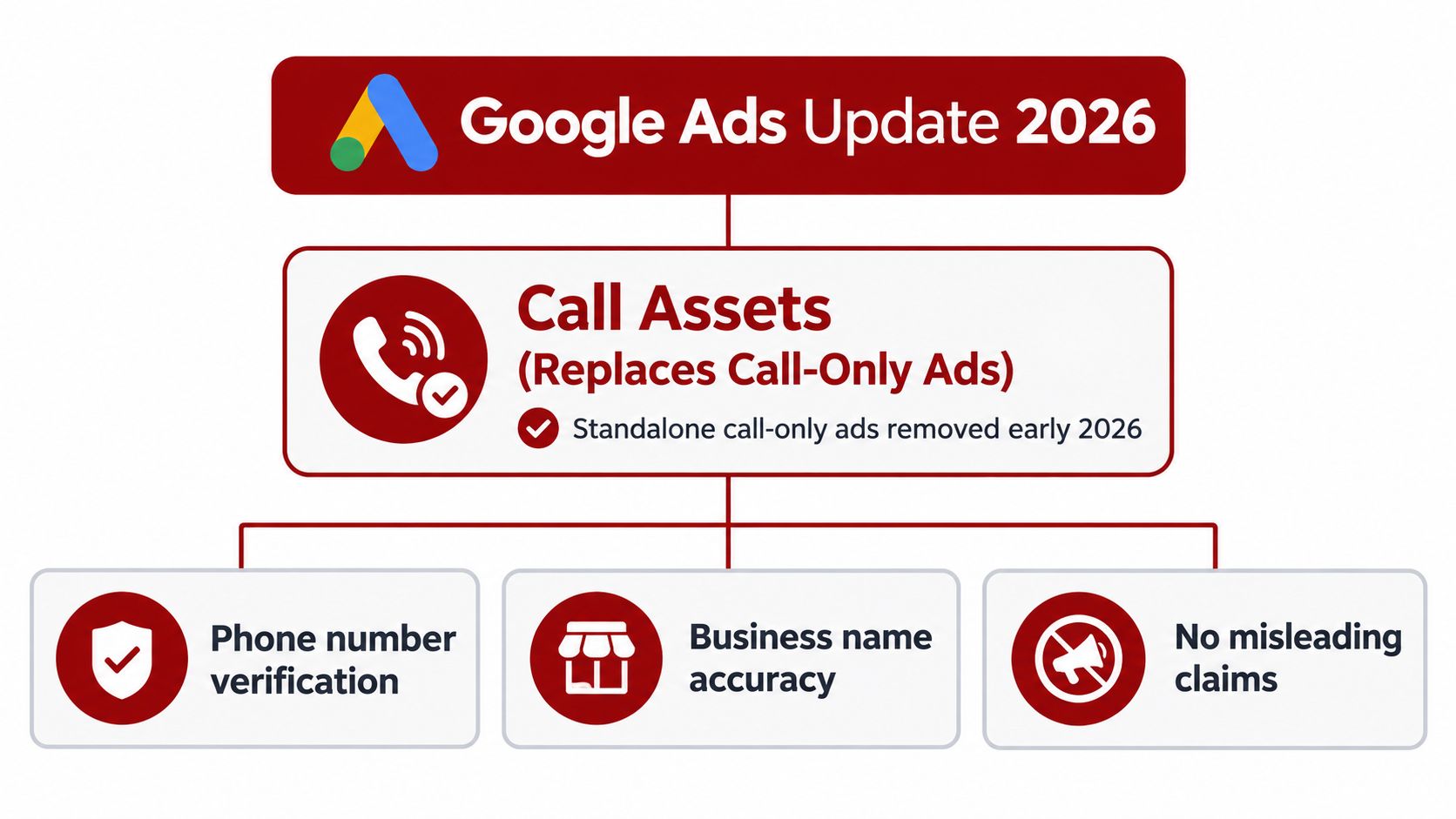
A local contractor can build a campaign around phone calls, then discover that its call-only ads are approaching retirement while its tracking still counts every ring as a lead. The 2026 change affects both ad format and measurement. Call assets place the phone option inside responsive search ads, alongside the landing-page path.
Google says new call ads could no longer be created in February 2026. Google also states that existing call ads will stop receiving impressions in February 2027, according to Google's call-asset guidance. Advertisers who want to keep generating phone leads should add a phone number as a call asset to responsive search ads.
What changes for local advertisers
Responsive search ads support several conversion paths. A prospect can call, visit the landing page, request a quote, or return later after comparing providers. That flexibility can improve reach, but it gives advertisers less direct control than a standalone call format. Google determines when the call asset is eligible to appear, so relevance, ad quality, and conversion signals influence whether the phone option is shown.
The asset hierarchy also affects call routing:
Account level: Use a general number when one line serves the entire business.
Campaign level: Assign a number to a service campaign, such as plumbing, roofing, or electrical work.
Ad group level: Use the most specific number for a tightly defined service or location.
Google allows call assets at the account, campaign, or ad group level. The most specific assignment takes precedence. An ad group asset overrides a campaign asset, and a campaign asset overrides an account asset, as documented in Google's account structure guidance.
A practical migration sequence
List every legacy call-only ad and its associated number. Build or confirm a relevant responsive search ad, add the call asset at the appropriate level, and check that the landing page displays the same business number. Test the message, routing, and conversion action before shifting budget.
A Prescott business might use an account-level main line, campaign-level numbers for residential and commercial services, and an ad group-level number for a specialized emergency offering. This arrangement keeps reporting and routing aligned without sending every caller to the same destination.
Raw call volume still gives an incomplete picture. Set a conversion action with a duration threshold that reflects a plausible sales conversation, then review recorded calls or CRM outcomes where possible. A short wrong-number call and a qualified roofing inquiry should not carry identical value just because both connected.
The landing page matters too. Responsive search ads can send users to the site even when phone calls are the preferred outcome. Explain the service, confirm the service area, and keep the phone option easy to find.
Setup Requirements and Verification Rules
Google doesn't treat a phone number as decorative ad text. It treats the number as a representation of the business, so approval depends on accuracy, legitimacy, and consistency.
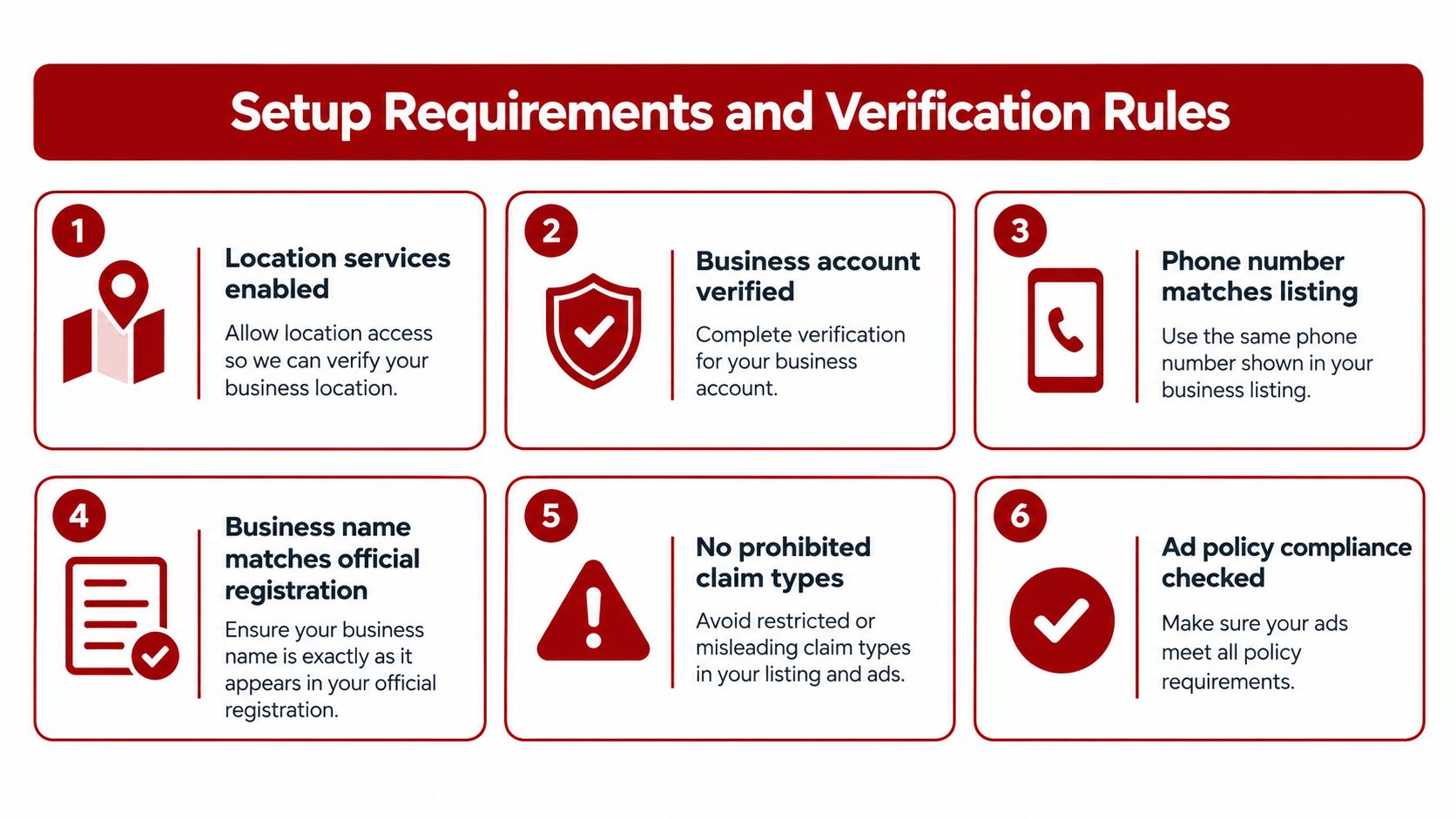
The number used in a call asset must be accurate, active, relevant to the business, and visible on the website linked from the ad. Google also verifies phone numbers to confirm that they represent the advertised business. A campaign can have strong keywords and persuasive copy, yet still fail if the phone information doesn't match the business identity.
What numbers can businesses use?
Use a normal business line that customers can reach and that appears clearly on the destination website. Avoid numbers that create confusion about who answers or what service the caller is reaching.
Google says the following number types aren't acceptable for call assets:
Vanity numbers: Letter-based numbers can create verification and relevance problems.
Premium numbers: Higher-cost calling arrangements aren't permitted for this use.
Fax numbers: A fax line can't provide the ordinary phone conversation the ad promises.
The policy also requires the number to be relevant to the business advertised. A contractor serving Prescott and surrounding communities shouldn't attach an unrelated third-party number that routes callers somewhere else without clear business ownership.
How to reduce avoidable disapprovals
Before publishing, compare the phone number in the call asset with the number shown on the landing page and the business's public listings. Make sure the line is active, someone knows how to answer it, and the greeting identifies the business accurately.
Google's phone-number policy for ads and assets also requires numbers to be visible on the linked website and prohibits misleading representations. Those requirements protect searchers, but they also help legitimate local businesses create a consistent identity across paid search and local discovery.
A useful pre-launch check includes:
Confirm the business name and phone number match across the ad destination and account.
Call the number from outside the office and listen to the full routing experience.
Check whether the line reaches the right department.
Remove outdated numbers from campaigns where a more specific asset now applies.
Review the landing page on mobile, where most call interactions occur.
For businesses improving the wider measurement setup, this guide to Google Ads conversion tracking setup provides useful context. Approval is only the first gate. The campaign still needs to record what happens after the call begins.
Tracking Call Quality and Attribution Data
A roofing ad can generate a busy phone line while producing few usable opportunities. Some callers misdial, hang up immediately, ask for a service the company does not provide, or reach the wrong location. Treating every call as a success teaches Google Ads to pursue volume rather than qualified conversations.
With call reporting enabled and a Google forwarding number assigned, Google Ads can record call duration, call start time, caller phone number for calls over 15 seconds except in India, and whether the call connected. Reporting can include calls from call-only ads, call assets, and location assets, as explained in Google's call reporting documentation.
The important threshold difference
Reporting visibility and conversion qualification serve different purposes. Call reporting may identify calls lasting over 15 seconds in many cases, while conversion tracking uses a 60-second default threshold. That distinction matters as campaigns transition from legacy call-only ads to responsive search ads with call assets in 2026. Raw call volume is not a reliable bidding signal unless the account separates brief activity from conversations that can become jobs.
Metric Type | Google Default Threshold | Recommended Optimization Action | Business Impact |
|---|---|---|---|
Call reporting visibility | Over 15 seconds in many cases | Export connected calls over 15 seconds weekly and tag misdials versus service inquiries before promoting them to conversions | Confirms a meaningful interaction without assuming the caller was a lead |
Call conversion action | 60 seconds default threshold, Google guidance | Start with the default, then compare call duration with qualification and booking outcomes | Limits the influence of quick hang-ups and misdials on optimization |
Qualified lead review | Depends on business workflow | Set the threshold at the point where staff can identify service fit, location, and buying intent | Connects ad performance with sales activity |
The 60-second threshold isn't a universal definition of quality. An emergency provider may identify a viable job quickly. A remodeling company may need more time to confirm scope, location, and timing. Compare recorded duration with call outcomes, then define the conversion event around the business's actual qualification process.
What attribution should reveal
A usable setup should answer practical questions:
Which campaign generated the call?
Which service and location did the caller request?
Did the call connect?
Did it pass the business's qualification-duration rule?
Did the caller become a booked appointment or sales opportunity?
Silva Marketing's guidance on call tracking metrics provides further context on the signals teams should monitor. For a broader operational approach, see 2026 service business phone tracking.
Review call recordings or CRM outcomes where permitted, and label short interactions, connected conversations, qualified calls, and booked work separately. A duration threshold is a filter, not proof of revenue. Use it with disposition data so responsive search ad call assets receive credit for the phone leads the business wants.
Scheduling Assets to Match Business Hours
A call asset that appears when nobody answers can create a poor customer experience and waste paid-search spend. The issue is operational, not cosmetic. The campaign promises access to a business, so the business needs to decide when that promise is valid.
Google's documentation supports scheduling call assets and connecting them with call conversion reporting. A local company can align the asset with its staffed hours, while an emergency provider may use a separate number or answering service outside normal office hours.
How to build a usable schedule
Start with the phone workflow, not the hours printed on a website. Ask who answers during each part of the day, which services are available, and whether the person answering can schedule work for the location being advertised.
Then separate the two controls:
Call asset schedule: Determines when the phone option is eligible to show.
Campaign ad schedule: Determines when the broader ad can run.
Those schedules don't always need to be identical. A company might keep the ad active when customers can research services but show the call asset only while dispatch staff are available. Alternatively, an emergency contractor may run both continuously if an after-hours line is staffed and capable of handling new jobs.
A local campaign should never optimize for a phone conversation that the business has chosen not to receive.
Match numbers to the operating model
A standard office line can work during staffed hours. An emergency dispatch number may be more appropriate after hours. A multi-service contractor could route plumbing calls to one team and electrical calls to another, provided each number is accurate, active, and properly represented on the relevant website experience.
Review missed-call records alongside Google Ads reports. If callers frequently reach voicemail during a period when the call asset is active, either change the schedule, improve coverage, or provide a clear alternative. Don't assume that more eligible call impressions will solve a staffing problem.
For Prescott and Northern Arizona businesses, seasonal demand and travel distance can also affect call handling. A company serving Prescott Valley, Chino Valley, and nearby communities should make sure the person answering knows which appointments are available in each area. A good schedule protects both budget and trust by placing the ad in front of searchers when the business can respond professionally.
Optimizing Ad Copy to Drive Phone Calls
A call button doesn't create intent by itself. The ad copy has to tell the right searcher why calling makes sense, and it must do so without attracting every unrelated question.

A roofing ad that says only “Roofing Services” gives the searcher little reason to call. A more useful message clarifies the service, location, and next step, such as an invitation to discuss roof repairs in Prescott or inspections in Prescott Valley. The wording should match what the person hears when they call.
Does more call volume mean better performance?
Not necessarily. More calls can include wrong numbers, spam, job seekers, vendors, and people outside the service area. If the ad uses broad language such as “all home repairs,” it may generate activity that the business can't profitably serve.
Use local and service-specific signals where they reflect the actual offering:
Prescott: Name the city when the campaign serves Prescott directly.
Northern Arizona: Use the regional reference when the company covers surrounding communities.
Service type: State whether the business handles repairs, installation, inspections, emergency work, or another defined need.
Phone Expectation: Invite a call for an estimate, appointment, dispatch assessment, or service question only when staff can handle it.
Google's Ads best-practices guidance from Silva Marketing can support the wider campaign process, but copy decisions should remain grounded in the actual search intent and call-handling capacity.
A good ad filters as well as attracts. If the business doesn't serve commercial properties, say so through the campaign's targeting and landing page. If emergency service is unavailable, don't imply immediate dispatch. The goal isn't to make every searcher call. It's to make the right searcher comfortable starting a relevant conversation.
The caller should hear a greeting that confirms the same business, service, and location promised in the ad. That continuity reduces confusion and gives the staff a better chance to qualify the request.
Frequently Asked Questions About Call Assets
Are call assets the same as call-only ads?
No. Call-only ads were a standalone format, while call assets attach a phone number to responsive search ads. Google removed the ability to create new call ads in February 2026, and existing call ads stop receiving impressions in February 2027. Businesses that still depend on the older format need to build responsive search ads with verified call assets.
Where can I add a call asset?
You can add a call asset at the account, campaign, or ad group level. The most specific setting takes precedence, so an ad group asset overrides a campaign asset, and a campaign asset overrides an account asset. This structure works well when one business has a general number but needs different service or location routing.
Do call assets work on Display campaigns?
Google states that call assets can run on Search campaigns and Smart campaigns, while display placements may not serve them to users. Don't assume that adding the asset at account level will make it appear across every campaign type.
What if a forwarding number doesn't connect?
Treat a failed connection as a tracking and operations issue, not as a normal campaign result. Check the forwarding configuration, the destination number, call routing, business hours, and whether staff can answer the relevant service line. Google forwarding-number reporting is useful only when the call can reach the business reliably.
How should a multi-location business use call assets?
Give each location a relevant, active phone number and place assets at the campaign or ad group level when location-specific routing is needed. Confirm that each number represents the advertised business and appears consistently on the relevant landing page. A general account-level number may be simpler, but it can weaken attribution and create confusion for callers seeking a specific office.
What should count as a phone conversion?
Start with the distinction between a recorded call and a qualified conversation. Google documents call reporting for calls over 15 seconds in many cases, while its conversion workflow can use a 60-second default threshold. Review actual call outcomes before changing the threshold, then count the interaction that best represents a genuine opportunity for the business.
Call assets are valuable because they connect local search intent with a measurable conversation, but the asset is only one part of the system. Accurate verification, sensible schedules, relevant ad copy, dependable answering, and duration-based qualification all matter for a contractor or service business serving Prescott and Northern Arizona.
Silva Marketing offers Google Ads management, call tracking setup, conversion-focused websites, and local SEO for businesses that want more accountable phone leads. Visit Silva Marketing to review your current call assets, tracking thresholds, service-area targeting, and next steps with a Prescott-based team.
Comments