
Title Tag Optimization for Local Search

You've built a strong website, explained your services clearly, and made it easy for customers to call. Yet when someone searches for a local provider in Prescott, a competitor's result earns the click. Often, the difference starts with the short line of text that identifies each page in search results, browser tabs, and bookmarks.
Title tag optimization helps local service businesses make that first impression more relevant and useful. It helps contractors, professional services firms, and small and midsize companies clarify what they offer, who they serve, and where they operate. For businesses serving Prescott, Northern Arizona, and nearby communities, the practical goal is simple: make the right page visible to the right searcher and set accurate expectations before the visit or phone call.
Table of Contents
Navigating Character Limits and Search Engine Rewrites - What usually fails
Connecting Titles to Broader Local Ranking Signals - What supports the title
Testing and Tracking Click-Through Performance - A practical review sequence - Measure leads, not just clicks
Common Title Tag Questions and Next Steps - Should every page have a unique title tag? - Should the title tag and H1 match? - What happens if Google rewrites the title? - Can a title change hurt existing rankings? - How should a multi-location brand handle duplicate titles?
The Real Impact of Title Tags on Local Visibility
A title tag is the HTML element assigned to a webpage. It belongs inside the document's , so it identifies the page at the technical level before a visitor reads the visible content. The World Wide Web Consortium's specification for the title element describes this foundational role, and the element has remained part of HTML's document-identification structure through major milestones, including HTML's introduction by Tim Berners-Lee in 1991, HTML 2.0 in 1995, HTML 4.01 becoming a W3C Recommendation in 1999, HTML5 reaching Recommendation status in 2014, and HTML5.1 in 2016.
That history matters because title tags aren't a temporary SEO trick. The browser uses them for tabs and bookmarks, while search systems may use them to form the clickable title link in results. A page titled “Home” tells a Prescott homeowner very little. A page titled “Emergency Plumbing in Prescott | Brand Name” gives the page a clear subject and location before the searcher opens it.
Practical rule: Every important URL should identify its own purpose. Service pages, location pages, product pages, and conversion-focused landing pages shouldn't inherit the same generic title.
A title tag won't create relevance where the page has none. It should accurately reflect the service, location, and offer that visitors will find on the page. That alignment supports usability as much as organic search, because a person clicking a result should recognize the page immediately after it loads.
Before rewriting titles, review the broader page experience and Silva Marketing's guide to local search results. For a broader content quality perspective, SemDash's content optimization advice is also useful because title work performs best when the page itself answers the visitor's question clearly.
Crafting Titles That Win the Local Click
A useful local title usually communicates three things without sounding assembled from keywords:
The service: What does the business provide?
The location: Which city or service area does the page address?
The brand: Who stands behind the offer?
For example, “Custom Websites for Prescott Businesses | Brand Name” is more informative than “Web Design | Brand Name.” It tells a local business owner what the page offers and who it's for. A service page targeting nearby demand might use “Emergency Plumbing in Prescott | Brand Name,” provided the page covers emergency plumbing in that market.
Write the title as an answer to the searcher's implied question. Someone searching "who builds websites for Prescott businesses?" needs a title that leads with the service and location. Someone searching for a specific company may need the brand first. Someone looking for a service area page needs confirmation that the business does serve that community.
A dependable drafting process looks like this:
Start with the page's main subject: Use the clearest service or topic, not a list of related phrases.
Add the local identifier when it changes the decision: Prescott, Northern Arizona, or a specific nearby community should appear when location is central to the page.
Use the brand where it builds recognition: Place the business name at the end when the service and location deserve priority.
Remove claims the page can't support: Don't promise same-day service, broad coverage, or a specialized credential unless the page verifies it.
Read the result aloud: If it sounds like a search-engine instruction instead of a helpful description, rewrite it.
A title can be concise without becoming vague. “Northern Arizona SEO Services for Local Businesses | Brand Name” is clearer than a title that repeats “SEO,” “marketing,” and “local” several times. Natural phrasing generally gives users a stronger reason to choose the result.
For more ideas about turning search visibility into engagement, review Silva Marketing's guidance on improving click-through rates. The title earns the opportunity, but the page must deliver on the promise.
Navigating Character Limits and Search Engine Rewrites
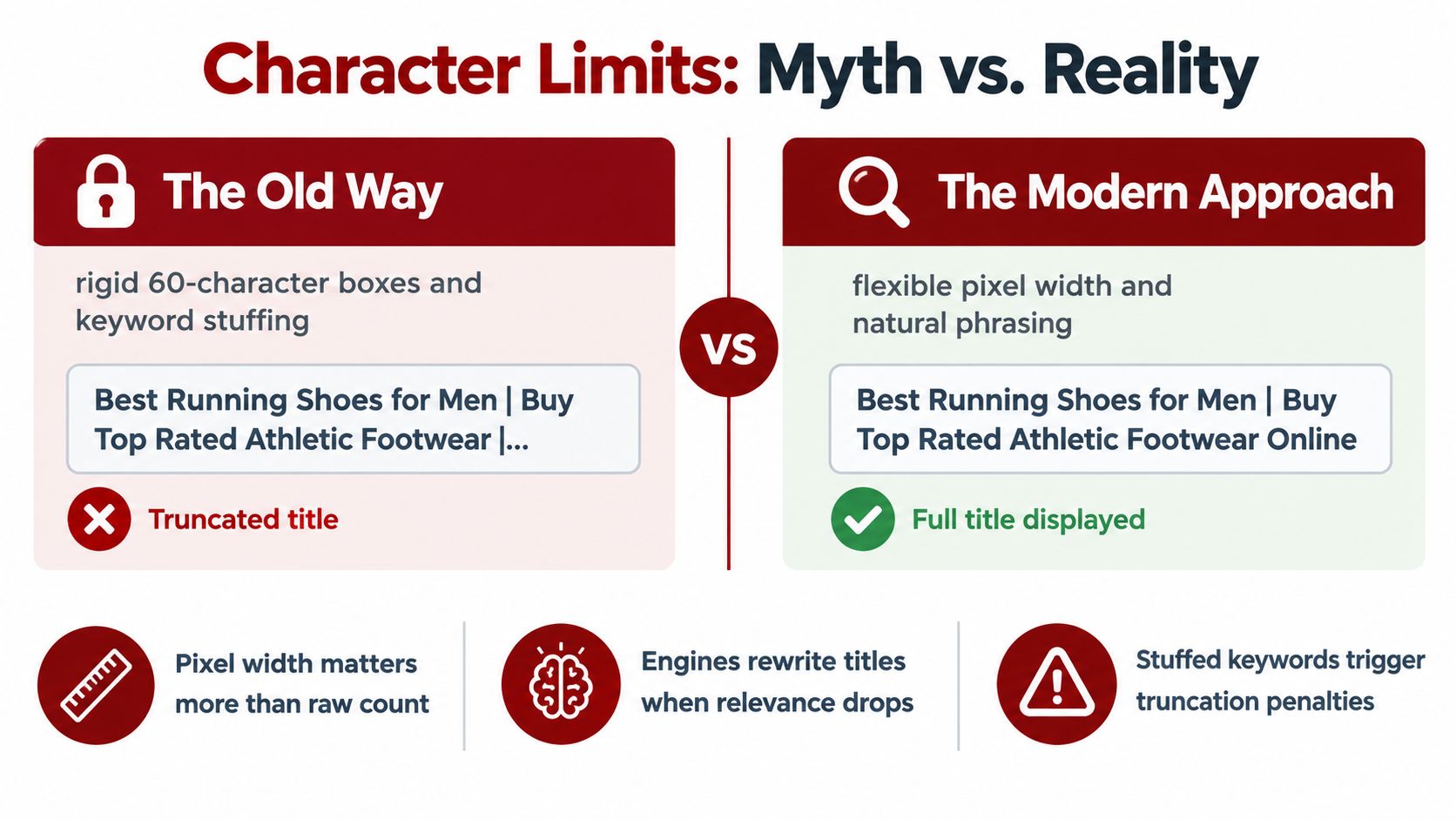
The strict character-count rule is one of the least useful ways to think about title tags. There's no universal fixed character limit for the HTML title element. Google may truncate a displayed title link to fit the available width of the device, so a title that fits one screen can display differently on another.
Google can also rewrite the title link. Its documentation explains that the displayed wording may come from the HTML title element, the page's main visual title, heading elements such as the H1, , prominent styled text, page content, anchor text, links pointing to the page, and structured data. Keyword insertion alone doesn't guarantee that Google will show the exact wording you entered.
The best defense against an unwanted rewrite is message consistency. The title tag, visible H1, introductory copy, and actual offer should describe the same page. If the title says “Custom Websites for Prescott Businesses” but the H1 says “Creative Digital Experiences,” the searcher has to interpret the relationship. Clear alignment reduces that friction.
Google recommends that every page have a specified title and that titles be descriptive, concise, unique, and free from repetitive boilerplate. That guidance is more durable than chasing a particular character count. A title can be short and still fail if it says too little. It can also be longer and remain useful if its most important meaning appears early and the wording stays focused.
What usually fails
Keyword stuffing produces titles that look unnatural to people and may give Google a reason to select different text. Repeating the city, service, and brand name in several variations rarely adds useful context. Generic boilerplate creates a different problem, especially when every service page carries the same title.
A better audit asks:
Does the title describe the page's actual offer?
Does the location match the service area shown on the page?
Does the H1 reinforce the same subject?
Would a customer understand the result without opening it?
Is the business name helping recognition or pushing the main topic out of view?
Use MD TECH TEAM's guide to auditing title tags when you need a structured review of missing, duplicate, or poorly aligned titles. For related ways to make content easier for search systems to extract, see Silva Marketing's guide to featured snippets.
Connecting Titles to Broader Local Ranking Signals
A strong title tag can clarify relevance, but it can't compensate for a weak local presence. Google's local-ranking guidance identifies relevance, distance, and prominence as the primary factors. Relevance concerns how well a Business Profile matches the search. Distance concerns the relationship between the searcher and the business. Prominence reflects how well-known the business is, with signals such as links from other websites, reviews, and positive ratings contributing to that broader picture. See Google's explanation of local ranking for the official framework.
Title tag optimization works most directly on the relevance side. “Custom Websites for Prescott Businesses” gives a page a clearer topical and geographic identity than “Services | Brand Name.” It doesn't change where the business is located, create customer feedback, or establish authority through reputable local references.
What supports the title
A local service website should present the same core facts everywhere. The business name, phone details, service coverage, and descriptions should be accurate and consistent across the website and Business Profile. A page targeting Northern Arizona shouldn't imply coverage that the business doesn't provide.
Prominence also requires genuine evidence that the business is established and trusted. Relevant local mentions, legitimate links, customer reviews, and professional community participation can support that picture. Certifications, faith-based values, experience, or community involvement may be worth highlighting when they're real, verifiable, and relevant to the buyer's decision.
A title tag tells Google and the searcher what the page is about. It doesn't prove that the business is the best local answer.
This distinction prevents a common strategic mistake. A business may spend time rewriting every title while leaving its Business Profile incomplete, its service areas unclear, or its location pages thin and repetitive. The title still matters, but it should be treated as one part of a consistent local-search system.
For a Prescott contractor, that system might include a clear service page, an accurate coverage statement for surrounding communities, visible proof of professionalism, and a Business Profile that matches the website. For a multi-location brand, each location page needs a genuinely distinct purpose rather than a city name swapped into identical copy.
Testing and Tracking Click-Through Performance
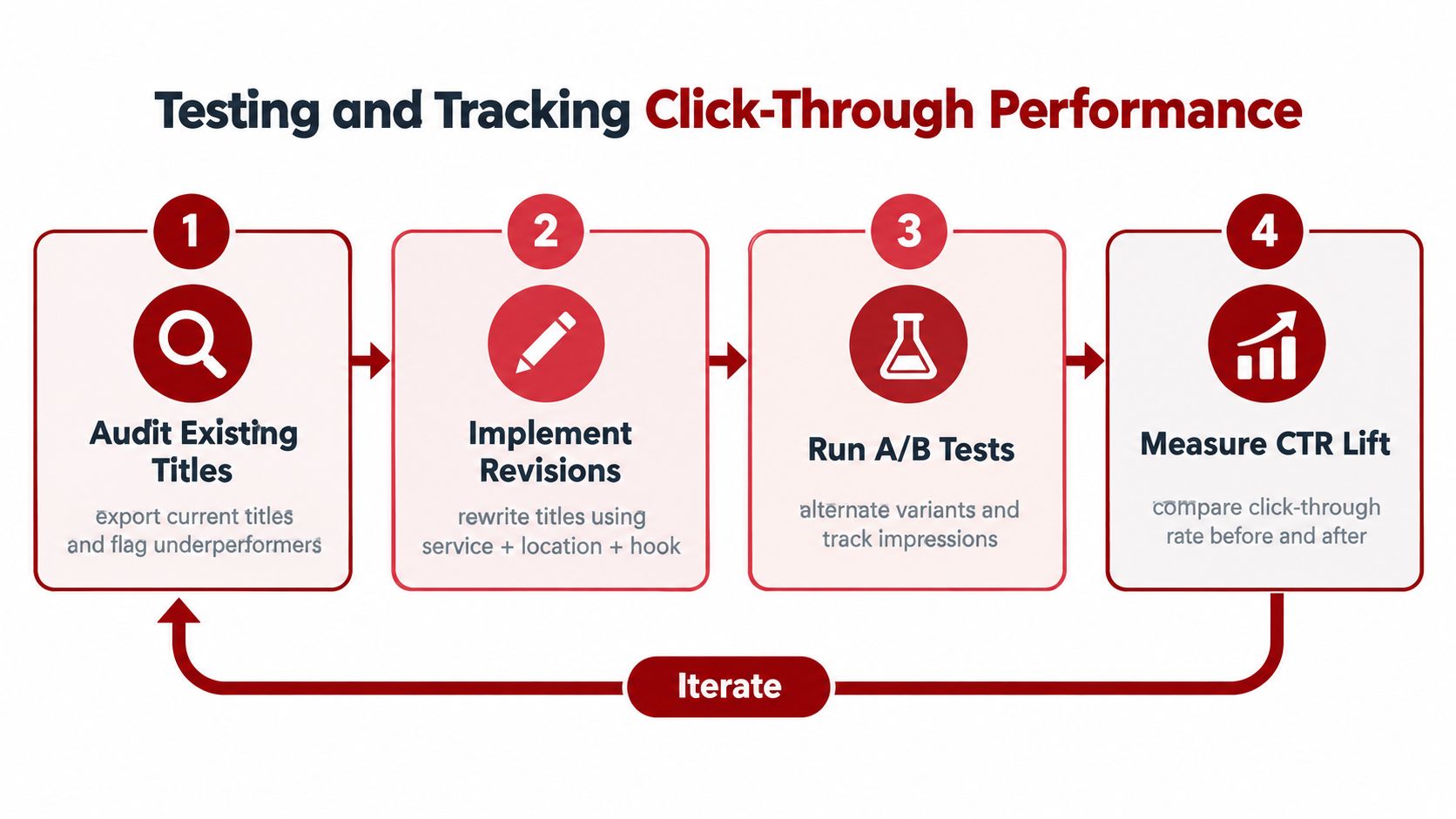
Publishing a title is the start of the process, not the finish. The practical workflow is to establish a baseline, form a specific hypothesis, revise the title, and monitor the page after Google has had time to recrawl and reprocess the change. Google says that this reprocessing can take several days to several weeks. Google's documentation on title links explains why immediate conclusions can be misleading.
Begin with Google Search Console. Export or review pages that receive meaningful impressions but attract fewer clicks than their visibility suggests. Don't treat every low click-through rate as a title problem. The query, ranking position, SERP features, brand familiarity, and page intent all affect the result.
A practical review sequence
Identify the page and query: Confirm what searchers appear to want and whether the page is the right destination.
Read the current title in context: Compare it with competing results and the visible page heading.
Write a hypothesis: For example, “This title may underperform because it leads with the brand instead of the service and city.”
Change one meaningful element: Reorder the service and location, remove boilerplate, or clarify the offer.
Record the change: Note the URL, previous wording, new wording, date, impressions, clicks, click-through rate, and average position.
Review after recrawling: Compare the page against its earlier performance while accounting for changes in demand and rankings.
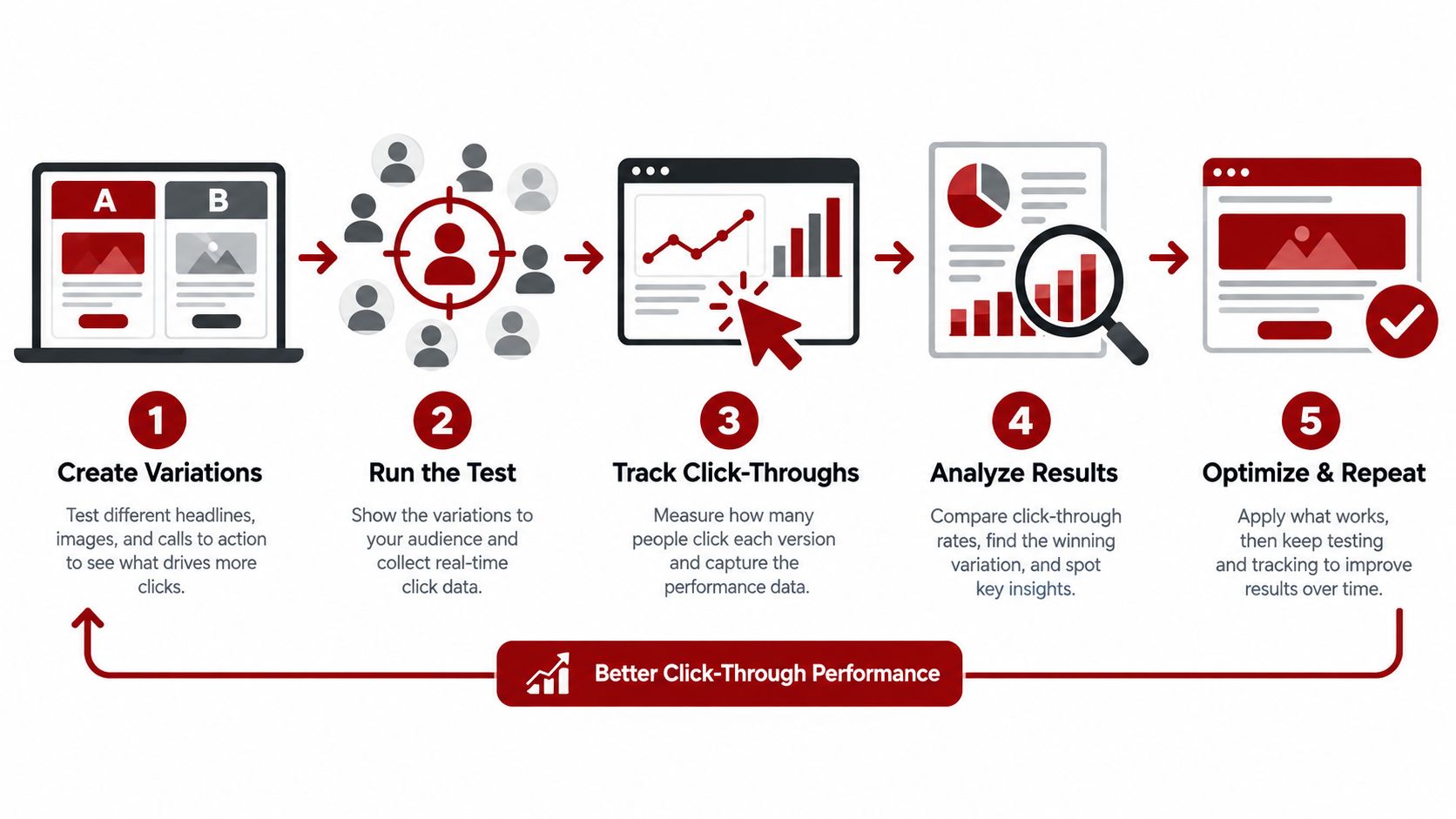
A title change can affect clicks without changing the page's underlying relevance. If average position remains similar while click-through rate improves, the new wording may be presenting the offer more effectively. If impressions rise but clicks don't, the page may be appearing for queries that the title and content don't satisfy well. If rankings change at the same time, avoid assigning the entire outcome to the title.
Measure leads, not just clicks
For a local business, a click is useful only when it contributes to a meaningful action. Connect Search Console observations with call tracking, form submissions, appointment requests, and qualified enquiries where possible. Silva Marketing's overview of website visitor tracking provides useful context for connecting website activity with business outcomes.
Keep a change log. Title tag optimization becomes much more reliable when each revision has a reason, a defined observation period, and a business metric attached to it.
Common Title Tag Questions and Next Steps
Should every page have a unique title tag?
Yes. Each important page should have a title that identifies its own service, topic, location, or business purpose. A location page for Prescott shouldn't use the same title as a service page for a nearby community, especially when the content and customer need differ.
Should the title tag and H1 match?
They should be closely aligned, but they don't have to be identical. The title tag must work in search and browser interfaces, while the H1 introduces the page to visitors. If the title says “Custom Websites for Prescott Businesses” and the H1 discusses an unrelated service, the mismatch weakens trust and may encourage Google to select another title link.
What happens if Google rewrites the title?
Google may use other page signals when it believes they describe the document more accurately. Review the title, H1, prominent text, and internal anchor text together. A rewrite isn't automatically a failure, but it can reveal that the page's signals aren't aligned or that the title doesn't accurately reflect the content.
Can a title change hurt existing rankings?
It can change how searchers interpret and select the result, and it may alter how Google understands the page's focus. That's why title changes should be deliberate rather than constant. Keep the core service and intent clear, document the revision, and monitor impressions, clicks, rankings, and qualified enquiries after recrawling.
How should a multi-location brand handle duplicate titles?
Use a consistent naming pattern, but make every location page materially distinct. Include the relevant service or location, confirm the actual coverage, and give visitors useful local context. Replacing one city name with another while leaving the rest of the page unchanged doesn't create a strong local resource.
Teams that want to keep their marketing and website workflows current can also browse 1chat product updates and guides. The same discipline applies here: clear inputs, accurate messaging, measured changes, and ongoing refinement produce better decisions than guesswork.
Silva Marketing helps Prescott and Northern Arizona businesses improve title tags as part of custom website design, website redesign, SEO, and Google Ads campaigns built to generate qualified calls and leads. Visit Silva Marketing to review your local search presence and discuss a clear, no-pressure next step.
Comments