
Website Conversion Rate for Local Service Businesses

Your phone logs nine calls in a week. Analytics reports 640 visits. Neither number tells you whether the site works: several of those calls may have come through your Google Business Profile, and part of the traffic may have landed on a blog post that never mentions your service.
That is the usual setup for a Prescott service business. Visits arrive from Google search, Google Ads, your Business Profile, and increasingly from someone asking an AI assistant for a plumber or service contractor. Blended into one sitewide percentage, those sources hide the answer you need.
Silva Marketing helps local service businesses in Prescott, Prescott Valley, and Chino Valley turn website visits into qualified calls and inquiries. The starting move is to split the site by page purpose, so a quote page, a service page and a blog post are each judged against the action each was built to produce. Give AI assistant referrals their own line in that breakdown. Folded into organic search, a recommendation from an assistant gets compared against a cold search click, and the page that looks weak may be measuring the wrong visitor.
Table of Contents
How to Calculate Your Website Conversion Rate - What counts as a conversion on a local service site? - How should I handle repeat actions?
What a Good Website Conversion Rate Looks Like - What should a Prescott business compare against? - How do I set a realistic target?
Tracking Calls, Forms and AI Referral Leads - How can I identify AI-assisted leads?
Page Speed, Layout and Copy That Hold Visitors - What should I fix first on a slow page? - What should the visitor see immediately?
Form Design That Turns Visits into Calls - What does a usable quote form need? - Should I remove qualification questions?
High-Impact Fixes for Local Service Websites - How do I know whether a change worked? - Why should I separate pages by purpose?
Frequently Asked Questions About Website Conversion Rate - Does my Google Business Profile affect my website conversion rate? - Should I optimize the homepage first? - Can a higher conversion rate still mean worse results? - Why doesn't my analytics report match my call log? - Should every location page have the same target?
How to Calculate Your Website Conversion Rate
Website conversion rate = conversions ÷ sessions × 100. A session is a visit that can include several page views, while a conversion is the action you've chosen to measure.
Keep the denominator consistent. Sessions, unique visitors, and page views aren't interchangeable, so don't compare a session-based report with a visitor-based benchmark without checking the difference.
For a clearly hypothetical local example, suppose a plumbing quote page receives the following traffic.
Worked website conversion rate examples
Page or Source | Sessions | Conversions |
|---|---|---|
Prescott plumbing quote page | 1,200 | 48 |
Google Business Profile link | 310 | 27 |
The quote page calculation is 48 ÷ 1,200 × 100 = 4.0%. The hypothetical Business Profile traffic converts at 27 ÷ 310 × 100 = 8.7%, rounded.
Those results don't prove that the profile is better marketing. Profile visitors may already know the business, have checked its reviews, or be ready to call, while other visitors are still comparing providers.
What counts as a conversion on a local service site?
A conversion can be a quote request, completed appointment booking, or phone inquiry that moves someone toward becoming a customer. Track click-to-call events too, but distinguish a phone-button tap from a connected call because the tap alone doesn't confirm a conversation.
For a purchase-focused page, a completed order is the relevant action. For an educational page, a newsletter subscription may be useful, but it shouldn't inflate your service-lead total.
Web Mage's explanation of how to calculate website conversion rates is a useful companion when you're setting up consistent reporting.
How should I handle repeat actions?
Choose whether your report counts conversion events or sessions containing a conversion. Someone who submits a form and then calls can create multiple events without representing multiple customers.
Measurement rule: Keep event totals for troubleshooting, but deduplicate inquiries in your CRM before judging lead volume.
Use Google Analytics 4 for landing-page sessions and your CRM or call-tracking platform for the corresponding inquiries. Exclude internal tests and obvious spam, and document those exclusions so next month's comparison uses the same rules.
Pull the last 30 days for each service page as a starting review window. Write its conversion rate beside its session count, conversion definition, and traffic source so the percentage has a meaningful base.
What a Good Website Conversion Rate Looks Like
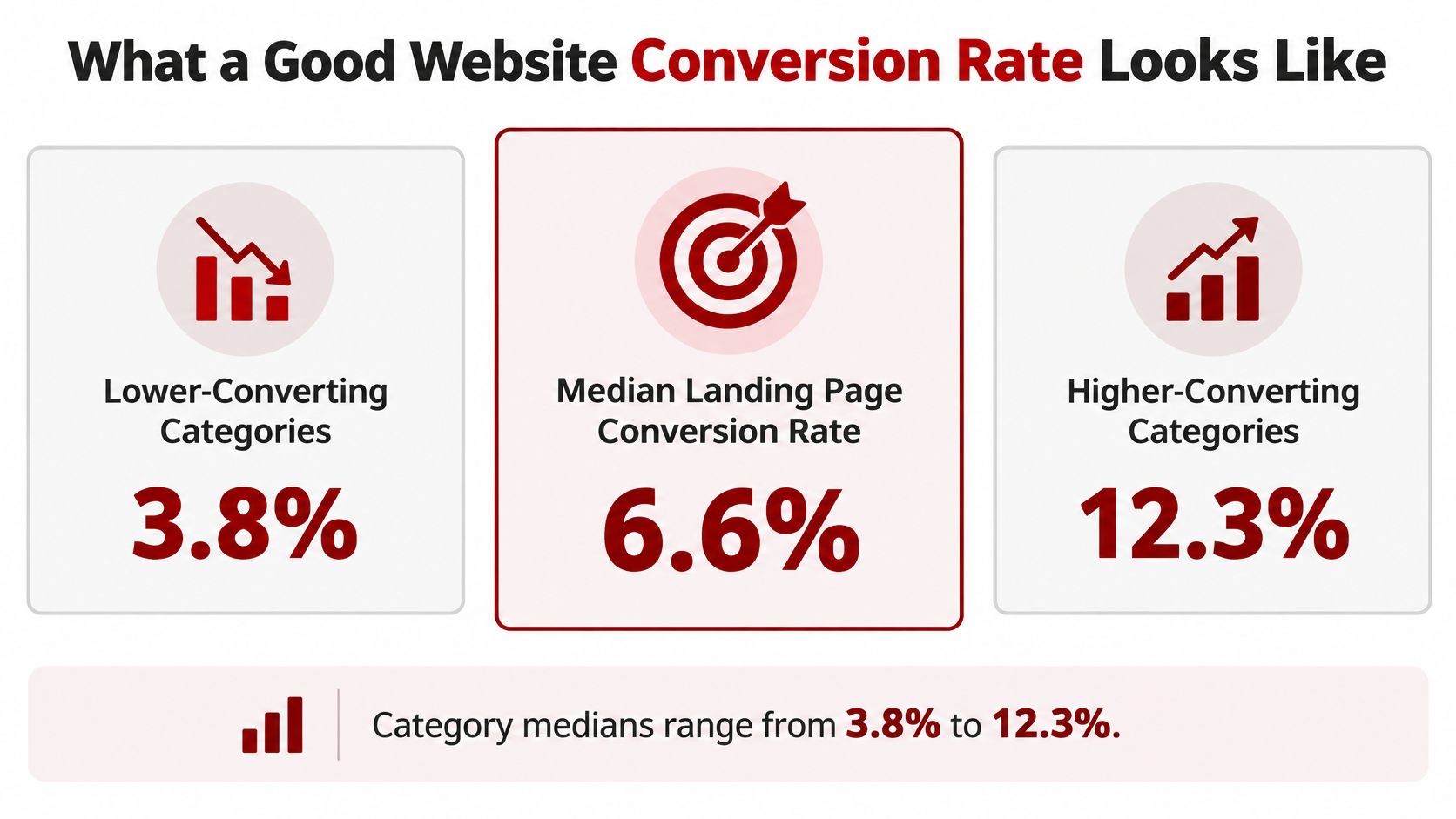
The median landing-page conversion rate was 6.6%, with industry category medians ranging from 3.8% to 12.3%, according to the benchmark summarized by Octo Agency. Its measurement covered more than 41,000 landing pages during July 2023 through July 2024.
Those are landing-page benchmarks, not a pass-or-fail score for every local website. A good result depends on the page's objective, audience, industry, traffic source, device mix, and conversion definition.
Median conversion rates by benchmark tier
Benchmark Tier | Median Conversion Rate | How to Use It |
|---|---|---|
Lower-converting categories | 3.8% | Floor to beat on comparable pages |
All landing pages (overall median) | 6.6% | Broad directional reference |
Higher-converting categories | 12.3% | Ceiling reference for high-intent pages, not a limit |
The comparison below makes the spread easier to see.
What should a Prescott business compare against?
Compare similar commitments from similar visitors. An emergency plumbing call and an email subscription aren't equivalent, even if both appear under conversions in an analytics dashboard.
A Prescott Valley homeowner requesting an estimate has different intent from someone reading a maintenance article outside your service area. Mixing those visits can make a useful service page look weak or make an unproductive website look successful.
If you want to compare conversion rates by industry, FOMOchat provides additional context. Before using any comparison, check whether its conversion action resembles yours.
How do I set a realistic target?
Use the benchmark as a diagnostic prompt. If a comparable page falls below its category's lower reference point, investigate loading problems, unclear messaging, and contact friction.
If it approaches the higher reference point, inspect lead quality before celebrating. A large share of irrelevant submissions isn't a strong commercial result.
A benchmark helps you choose what to investigate. Your qualified inquiries and booked work tell you whether the change helped.
For the next quarter, set a target from the page's own baseline and the specific obstacle you're addressing. Record the intended improvement, the action you're measuring, and a quality safeguard such as serviceable inquiries or booked estimates.
Don't assign the same target to every page. A research article should help someone understand a problem, while an urgent-service page should make contacting the business straightforward.
Tracking Calls, Forms and AI Referral Leads
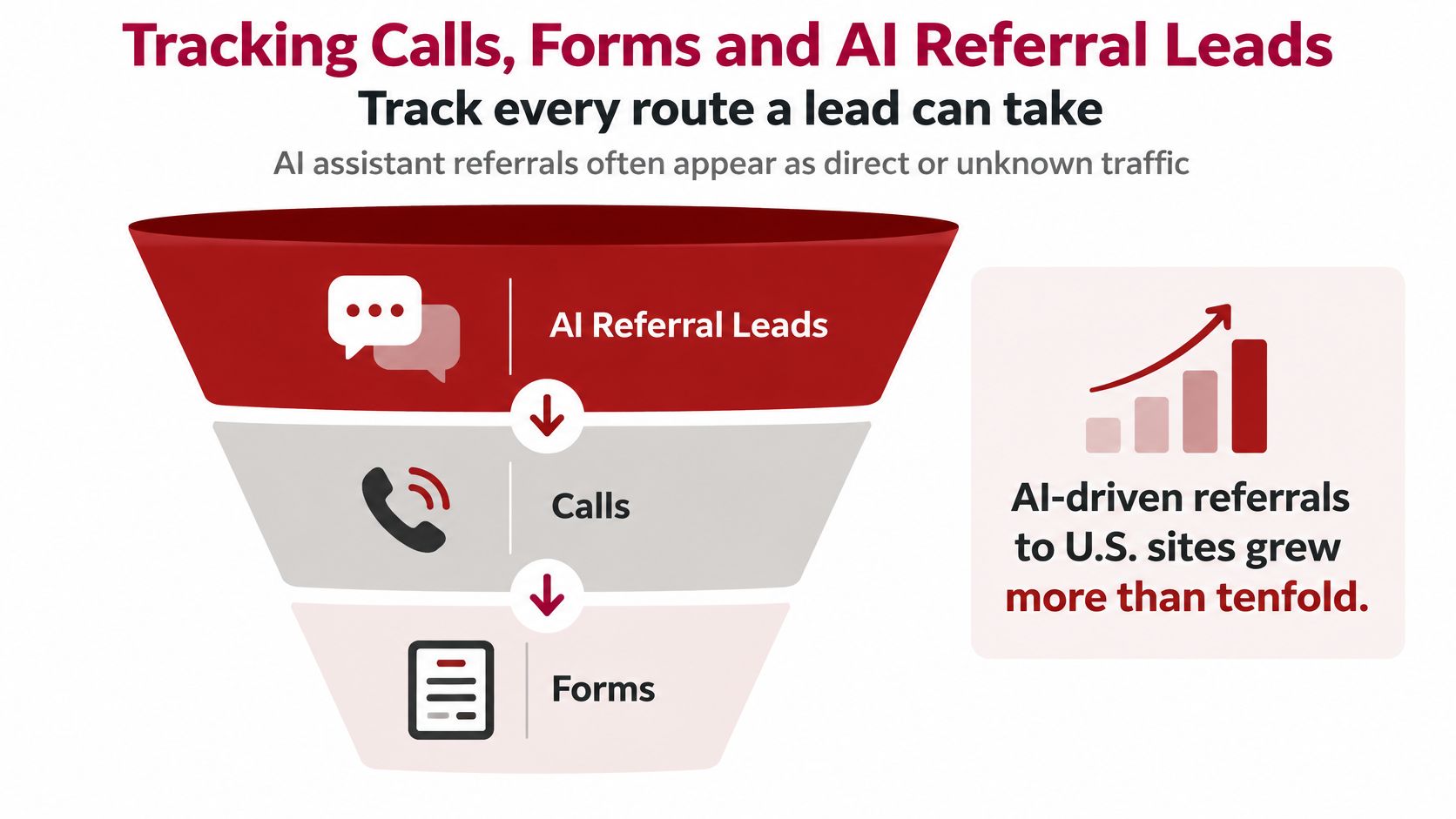
Track every route a lead can take, including AI-assisted discovery that may appear as direct or unknown traffic. A source report can't explain lead value if the final call or booking never reaches your measurement system.
Adobe found that U.S. traffic from AI-driven referrals increased more than tenfold between July 2024 and February 2025, while AI traffic's conversion disadvantage narrowed from 43% less likely to convert to 9% less likely. That doesn't establish a local-contractor benchmark, but it makes ignoring this channel a poor measurement choice.
Use this funnel as a reminder to connect discovery with the eventual inquiry.
Conversion actions and how to track them
Conversion Action | Commitment Level | How to Track It |
|---|---|---|
Phone call from the website | High | Call tracking number per page, logged with call duration |
Quote or contact form | Medium | Form submit event plus a CRM source field |
Booked appointment | High | Scheduler confirmation tied to the landing page |
Email newsletter sign-up | Low | Separate goal, excluded from lead totals |
For calls, use dynamic number insertion where session-level attribution is needed, while keeping the business's permanent contact information consistent. Duration helps screen calls, but it doesn't prove qualification; staff should record whether the caller needed a service you provide.
The practical call-tracking metrics to review include connected calls, missed calls, source, and eventual outcome.
How can I identify AI-assisted leads?
Use a repeatable attribution process rather than assigning every unexplained visit to AI.
Tag controlled links. Apply consistent UTM source, medium, and campaign values to links you publish. You can't force an assistant to preserve tags on links it generates.
Inspect available referrers. Check server-side referral information where possible, while respecting consent and privacy requirements. Missing referral information isn't proof of AI origin.
Reconcile the CRM monthly. Compare analytics sources with call logs, form records, and the customer's answer to how they found you.
Separate assisted and last-click leads. An AI recommendation that begins discovery isn't the same as an identifiable AI referral immediately preceding an inquiry.
A Google Business Profile visit or a recommendation from ChatGPT, Gemini, or Perplexity can eventually produce a direct-looking visit. The person may return by typing the address, search for the business name, or call a saved number.
Preserve both the measured source and the self-reported discovery source. List every conversion action and confirm it has a source field, even when the honest value is unknown.
Page Speed, Layout and Copy That Hold Visitors
Visitors can't act on an offer they haven't loaded or can't find. Google's mobile-speed analysis found that over half of mobile visits were abandoned when pages took longer than three seconds to load, and Google/SOASTA reported up to a 27% conversion-rate increase for mobile pages loading one second faster.
Treat those findings as reasons to investigate performance, not promises of an identical lift. Test the actual service page on a phone, not just the homepage on an office connection.
A visitor trying to arrange service shouldn't have to fight the page.

What should I fix first on a slow page?
Work through the largest avoidable costs before changing hosting or rebuilding everything.
Optimize the hero image. Compress and resize the largest above-the-fold image. Don't lazy-load the primary image visitors need immediately.
Defer nonessential JavaScript. Let visitors see and use the main content before loading optional features.
Review third-party scripts. Remove unused trackers and delay chat widgets when they obstruct initial loading.
Serve responsive images. Use appropriately sized WebP or AVIF files with suitable fallbacks.
Test over cellular data. Check loading, tapping, scrolling, and form entry on a real device.
Use PageSpeed Insights to diagnose technical issues, then verify the experience yourself. UpTime Web Hosting's website speed guide offers implementation context, while our site-speed optimization guidance connects performance work to the website experience.
What should the visitor see immediately?
On the hypothetical Prescott plumbing page, the headline should identify plumbing service and Prescott in plain language. Put a tappable phone number near the top, and make the main action clear rather than competing with unrelated promotions.
Show verifiable proof near the decision point, such as applicable license details, genuine reviews, and accurate years in business. Don't invent credentials or display an outdated review count.
This video provides an additional visual resource.
Start with the clearest mobile obstacle. If the phone number is buried, test its placement; if the hero image delays the page, optimize that asset while keeping the offer unchanged.
Form Design That Turns Visits into Calls
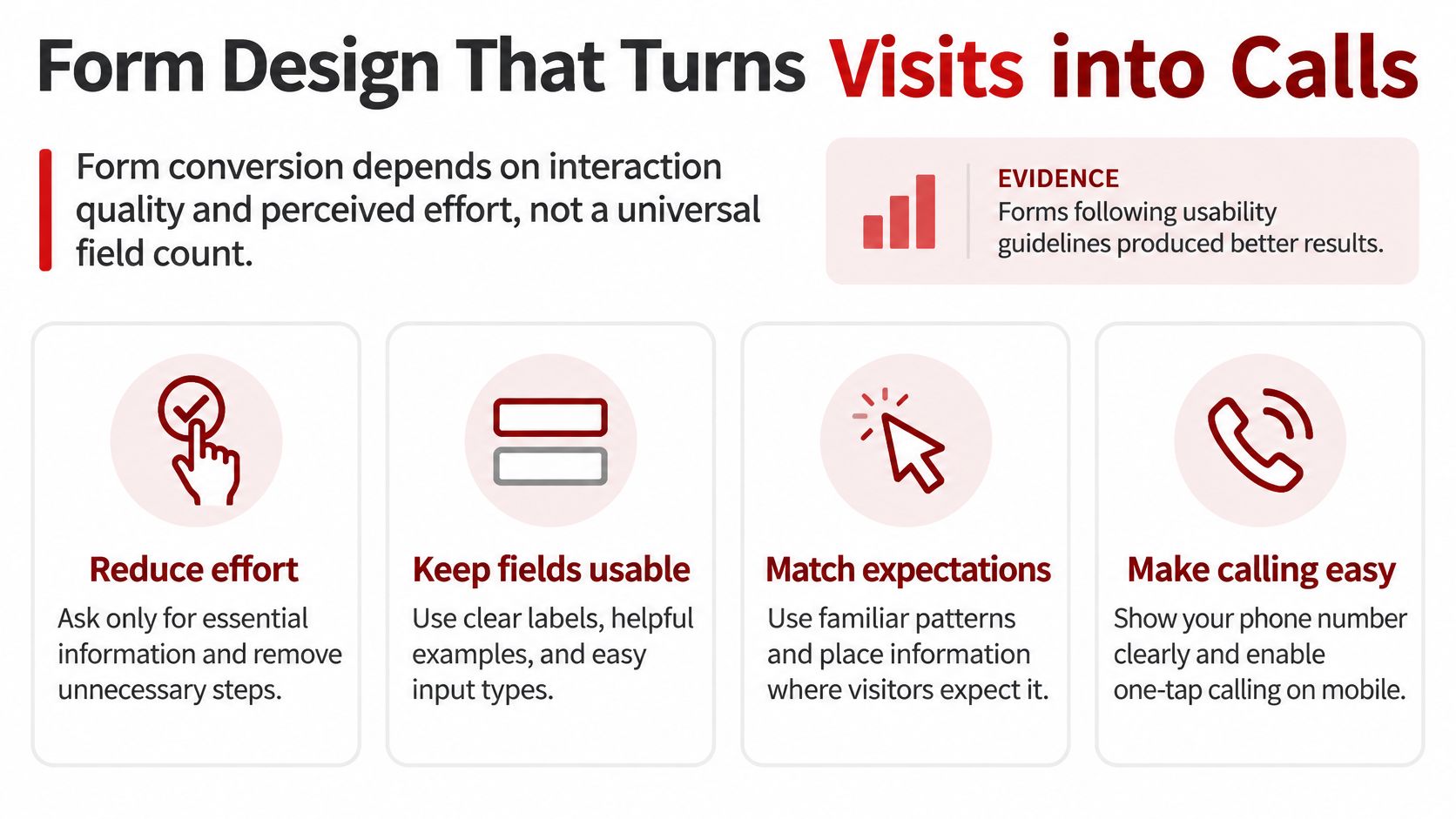
Form conversion depends on interaction quality and perceived effort, not a universal field count. A short form can still be frustrating if labels disappear, errors erase entries, or the submit button doesn't confirm success.
Academic usability work summarized by Kirro found 78% error-free submissions for forms following usability guidelines versus 42% for forms that violated them; inline validation increased successful completion by 22% and reduced completion time by 42%. The useful lesson is to remove avoidable difficulty, not to assume every qualification question is harmful.
Use the following principles when reviewing the contact experience.
What does a usable quote form need?
A vertical column. Keep the reading and typing path predictable, especially on narrow screens.
Persistent labels. Put explicit labels above fields instead of relying on placeholder text that disappears.
Helpful inline validation. Explain the problem beside the relevant field, preserve completed answers, and don't flag errors before someone has finished typing.
Appropriate input types. Use email and telephone inputs, autocomplete attributes, and touch-friendly controls.
A reason for the phone number. Explain that it's used to discuss the request or arrange the visit, if that's your process.
Make the confirmation equally clear. Tell the visitor that the request was received and what happens next, without promising a response time the business can't reliably meet.
Our lead-generation form guide provides additional context for building a contact path around a useful inquiry.
Should I remove qualification questions?
Keep questions that prevent wasted work. A service-area field can stop a Northern Arizona contractor from spending time on requests outside its coverage, while a project-type selector can route the inquiry correctly.
Budget questions require more judgment. They can help qualify larger projects, but a homeowner requesting an initial repair assessment may not know the appropriate budget.
Qualification trade-off: A form that produces fewer submissions can still be better if more of those submissions become serviceable jobs.
Measure field focus, errors, corrections, abandonment, and successful completion without collecting sensitive typed content in analytics. Trigger the submission event after confirmed success, not merely when someone clicks the button.
Optimize qualified conversion rate, meaning qualified inquiries divided by landing-page sessions, expressed as a percentage. Count the fields on your main quote form and mark which are necessary to begin the conversation, which qualify the work, and which can wait.
High-Impact Fixes for Local Service Websites
A page gets visits but few calls. Start by matching that symptom to an observable problem instead of ordering a redesign on instinct.
Symptoms, causes and first fixes for local service pages
Symptom | Likely Cause | First Fix to Test |
|---|---|---|
Visits are steady but calls are low on mobile | Slow load or phone number hidden below the fold | Compress the hero image and make the phone number tappable above the fold |
Form starts but rarely finishes | Too many fields or an unclear purpose | Cut to essential fields and add inline validation |
Google Business Profile visitors bounce | Link goes to a generic homepage | Point the profile link to the matching service and city page |
Good rate but few booked jobs | Form attracts out-of-area requests | Add a city and service-area question near the top |
Desktop converts, mobile does not | Template never tested on a phone | Test the page on a real phone over cellular data |
These are hypotheses, not diagnoses. Confirm the suspected cause before implementing every fix in a row, and make sure any Business Profile destination accurately represents the business and the listing's purpose.
How do I know whether a change worked?
An analysis summarized by Digital Applied found that only 12% of 173,000 experiments across more than 1,200 companies produced a statistically significant improvement on the primary metric. A persuasive-looking redesign isn't automatically a measurable improvement.
Use a disciplined testing sequence:
Name the primary conversion. Choose the inquiry that matters, not a bundle of unrelated clicks.
Record a baseline. Start with at least 30 days, extending the window when traffic is sparse or unusually seasonal.
Change an isolated element. A table row may contain several possible fixes; test them separately when practical.
Segment the result. Compare device and traffic-source groups so a shifting audience doesn't masquerade as improvement.
Wait for sufficient evidence. Enough elapsed time doesn't necessarily mean enough conversions. Use an appropriate testing tool and don't stop at the first favorable result.
For low-volume sites, a clean statistical answer may take longer than the owner expects. Fix obvious technical failures promptly, but describe uncertain commercial results plainly.
Why should I separate pages by purpose?
A city page, a service page, and an emergency contact page answer different questions. Report their results separately, then group comparable pages to see whether a template or location needs attention.
A Chino Valley location page might receive poorly matched traffic while a Prescott emergency page attracts ready-to-call visitors. A blended average won't tell you which problem needs work.
Use relevant, genuine proof where uncertainty blocks the next step. Our social-proof strategy guide explains how to support a decision without covering the page in generic testimonials.
Judge the outcome alongside booked appointments, qualified leads, revenue, and acquisition cost. Pick the symptom that matches your records and run a focused test this month.
Frequently Asked Questions About Website Conversion Rate
Does my Google Business Profile affect my website conversion rate?
Indirectly. Google bases local results primarily on relevance, distance, and prominence, while the destination page determines what someone encounters after clicking; a page matching the listing's service and location helps fulfill that expectation. Keep the business name, address, service coverage, and service descriptions consistent, and display applicable license information and genuine review evidence so visitors can verify the business.
Should I optimize the homepage first?
Usually not without checking landing-page traffic first. Seer Interactive's client analysis found that only about 7% of AI visits landed on homepages, with most entering two or three levels deep. Begin with the service and city pages people reach, checking their speed, clarity, and contact access before committing to homepage changes.
Can a higher conversion rate still mean worse results?
Yes, especially if you count spam, duplicate inquiries, or low-commitment actions as sales leads. Review whether inquiries fit your services and coverage, then follow them through to appointments and completed work.
Why doesn't my analytics report match my call log?
Analytics may record phone-button taps, while the call platform records actual calls, including repeat callers or people dialing manually. Consent settings, cross-device journeys, and missing referral information can also prevent an exact match, so reconcile records rather than expecting the totals to be identical.
Should every location page have the same target?
No, because visitor intent, service availability, and traffic sources can differ by location. Use consistent definitions across Prescott, Prescott Valley, and Chino Valley, but evaluate each page against its own relevant traffic and commercial outcomes.
Choosing Your First Conversion Fix in Prescott
Pick the conversion action that brings in the most qualified work, usually a connected call or quote request. Record its baseline for 30 days, keeping page and device results separate, then choose the largest observable friction point.
Write down what you'll change and what would count as improvement before publishing the update. Retest before adding more changes, and keep a record of anything else that could affect demand, such as an advertising adjustment or a change in service availability.
For a second opinion, owners in Prescott, Prescott Valley, and Chino Valley can book a free 30-minute call with Silva Marketing, a Prescott-based agency serving businesses across Northern Arizona. The conversation is informational and carries no commitment.
Our working process has four stages: Free Strategy Call, Custom Plan, Build & Launch, and Optimize & Grow. Bring your landing-page conversion rates, session counts, and call log so the conversation starts with your business's actual numbers rather than a generic benchmark.
Silva Marketing offers custom websites, website redesign, SEO, and Google Ads focused on clearer contact paths and measurable qualified leads. Visit Silva Marketing to arrange a no-pressure conversation about your website conversion rate and identify a practical first fix.
Comments